Hello there,
I'm using Aximmetry 2025.1 at work. I'm wondering if theres a way to show the instanced foliage actor asset?
I have some scattered foliage with the default wind animations but when I playback on Aximmetry, the InstancedFoliageActor is always missing?
Kind Regards,
Unreal Instanced foliage actor not showing up in Aximmetry Output
Comments
Eifert@Aximmetry
-
Hi,
A few possible causes worth checking:
- Check the Unreal/Aximmetry log for warnings like missing bUsedWithInstancedStaticMeshes=True or errors referencing FInstancedStaticMeshVertexFactory. Those messages have appeared in similar Aximmetry forum reports involving missing foliage materials: https://my.aximmetry.com/post/1097-missing-texture
Open the foliage master materials, make sure Used with Instanced Static Meshes is enabled, and then save them. It is worth checking this setting in the materials even if you do not see any related errors.
Also, you could check what Material Domain the material uses. For example, the additive blend mode can cause issues in some cases. - Try cooking the project again from scratch. If Iterative Cooking is enabled, turn it off first:
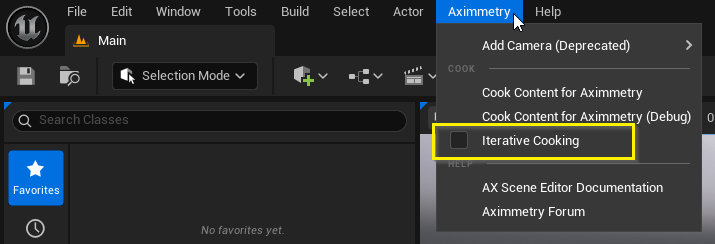
Try a clean rebuild by deleting the Intermediate, Saved, Binaries, Build, and DerivedDataCache folders, then cook the project again. It is a good idea to make a backup before deleting them, just in case. - It is also worth testing outside Cooked mode. Editor Data connection mode works directly from the Unreal project data and avoids cooking altogether, which makes it a good way to confirm whether the issue is cook-related. This feature was introduced in Aximmetry 2025.2.0.
- If the project uses AR, actors must be tagged with "AximmetryAR", and any dynamically spawned actors must be followed by an Update ARObjects call: https://aximmetry.com/learn/virtual-production-workflow/ar-production/unreal-scene-setup-ar/#dynamically-spawned-models-and-actors
Warmest regards,
anzhou
-
Hello Eifert,
Thank you for your reply. Apologies I missed it.
The Used with Instanced Static Meshes did the trick!
Unfortunately my Aximmetry Composer hits 120% gpu usage. Without the animated material it is about 67%.
I'm wondering if the Instanced Foliage Actor will be more performant if I could get it to show up in Aximmetry?.
Is it supported?
Also, is there a recommended for flow for animated foliage from UE5 to Aximmetry?
I'm trying to get some indoor greenery subtly animating and I'm sure this should be something that's possible.
I'm guessing converting it to a single static mesh will reduce performance gains from instancing via the Instanced Foliage Actor.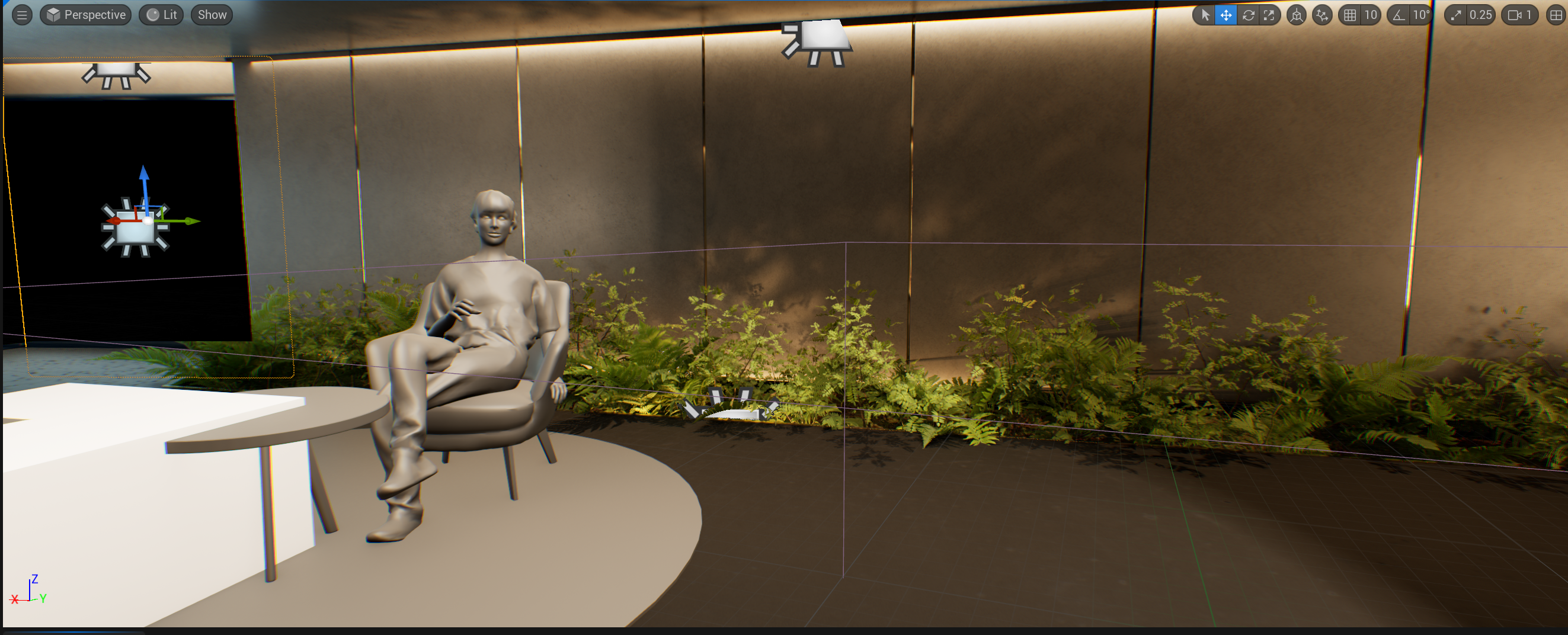
Eifert@Aximmetry
-
Hi,
Glad to hear that enabling Used with Instanced Static Meshes fixed the visibility issue.
Note that this issue is not caused by Aximmetry’s version of Unreal. It can occur in the regular Unreal Engine, too.
For performance, I would generally keep the plants as foliage / instanced meshes and not convert them into one big static mesh. Unreal’s foliage workflow is designed around instancing, which is the engine’s efficient way of drawing lots of repeated plants. So yes, converting everything to a single regular mesh can reduce the performance benefit you normally get from foliage placement.
The GPU jump you are seeing is most likely coming from the animated wind material (the shader that makes the leaves sway every frame) rather than from the InstancedFoliageActor itself. Unreal’s default foliage wind works by deforming the mesh in the material. This can get expensive, especially when dynamic shadows are also involved.
You could disable dynamic shadows on the smallest plants if possible.
You could also try disabling wind and see if that helps. Even reducing the wind's strength might help.
Unreal also has a setting to stop that wind deformation past a certain camera distance, which should help a lot.
Also, try using the scene in Cooked mode in Aximmetry.
Warmest regards,
I managed to get it to show by converting the Instanced Foliage Actor to Instanced Static Meshes, however, this breaks the randomised wind animation.
I can't find any topics in the documentation address this sadly.
Is this feature not supported currently? Or f someone can point me in the right direction I'm happy to DIY
Cheers!