Keyer question:Balancing Yellow Preservation and Red Over-compensation in Small Green Screen Volumes

Hi,

here is my Environment:Aximmetry 2025.2.0,Camera & Lens: Sony 2580 with Canon Broadcast Lens.

Physical Set: Small-scale green screen studio (High spill reflection due to limited distance/lighting).

Target: A yellow prop board and a talent with significant green spill.

The Issue: I am facing a critical trade-off between Yellow Preservation and Color Balance when using the Advanced Keyer B in Aximmetry.

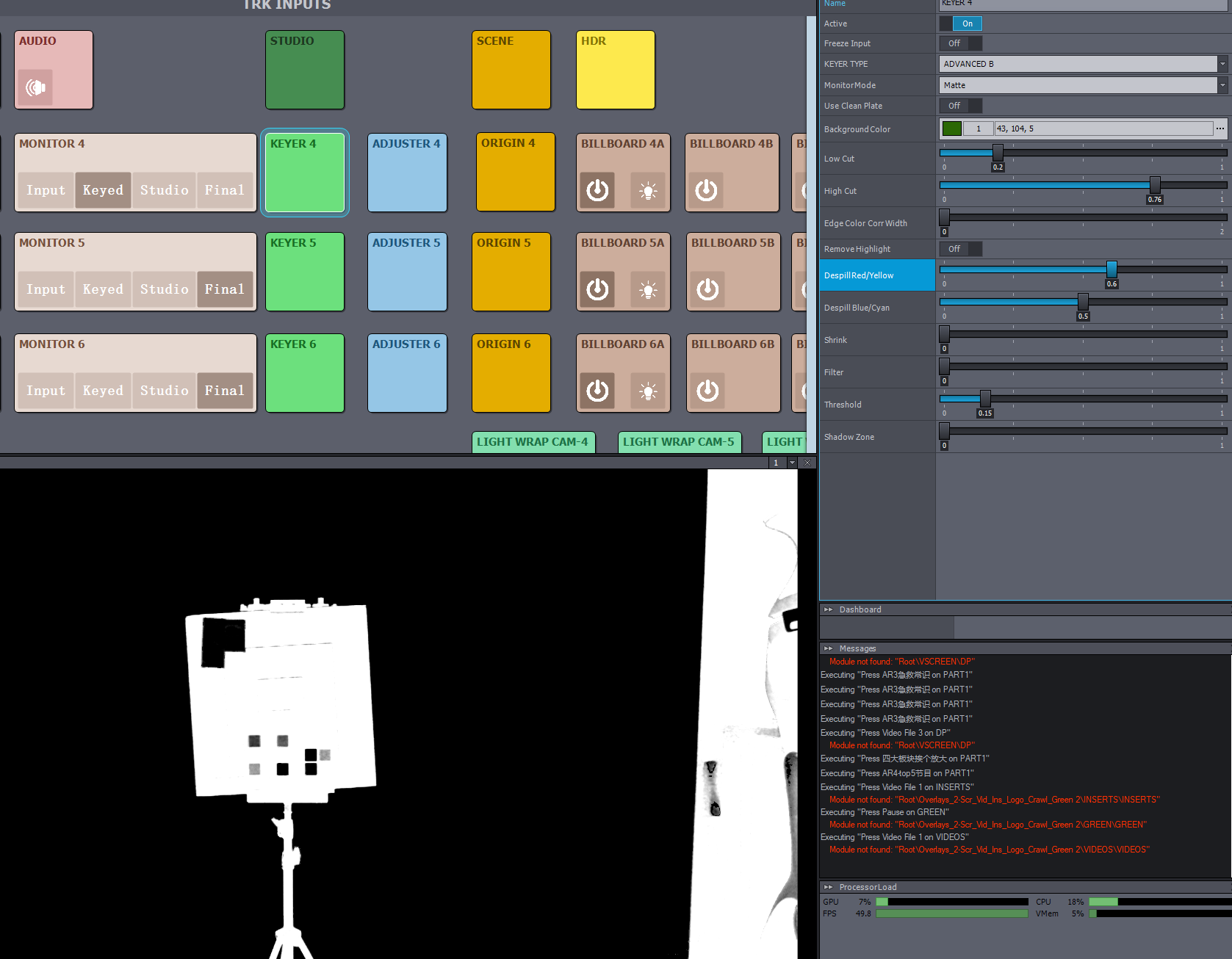
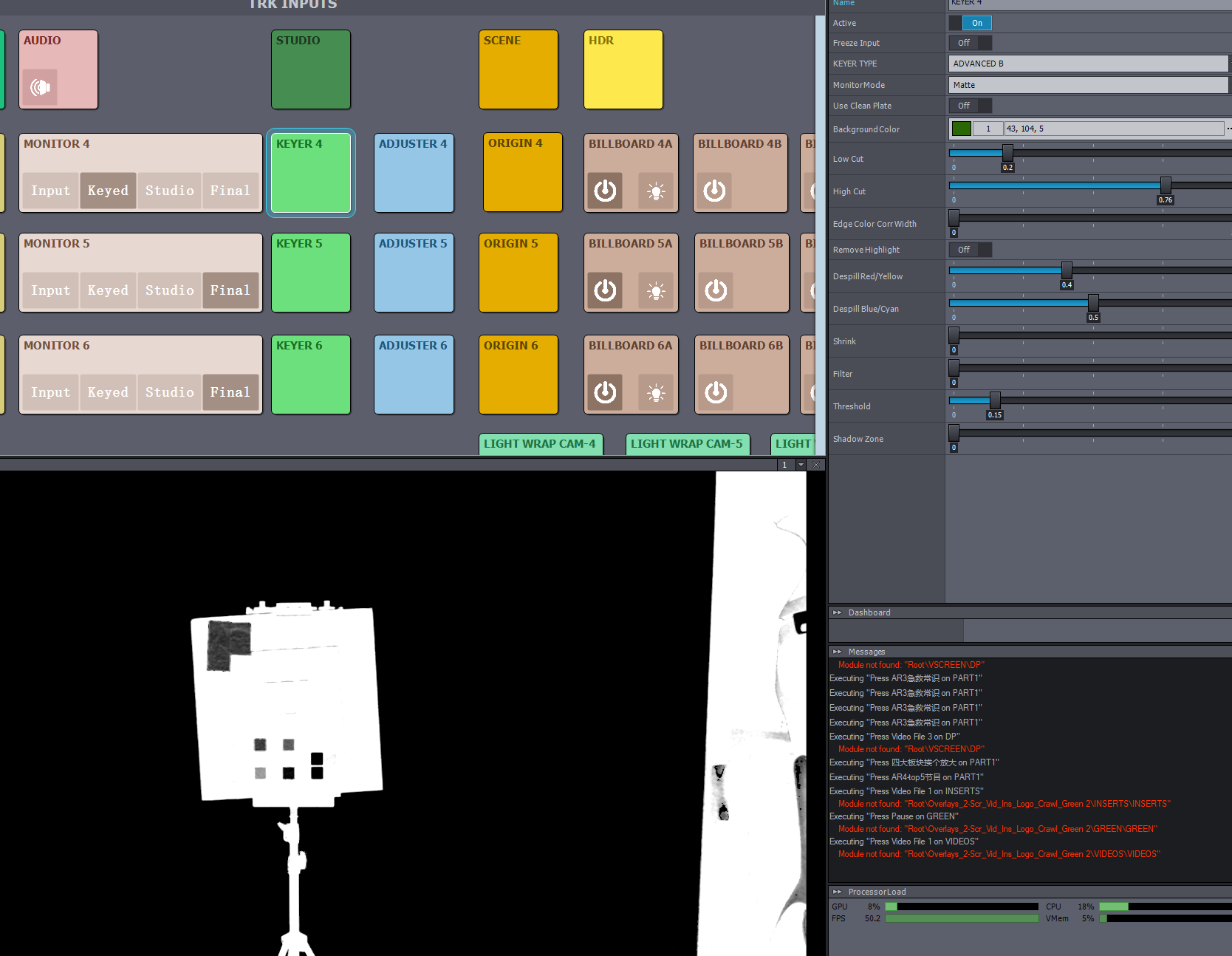
Yellow vs. Despill: To protect the yellow prop from being keyed out or turning gray, I must increase Despill Red/Yellow (typically from 0.5 to 0.8). However, this high value prevents the yellow from being treated as "greenish," but at the cost of the entire image.

Red Over-compensation: As Despill Red/Yellow increases, the talent becomes noticeably reddish compared to other camera angles. The algorithm seems to inject excessive red gain to compensate for the green loss, but it lacks the precision to isolate the yellow prop from the talent’s skin tones.

Comparison: Compared to hardware keyers like the Ultimatte 12, Aximmetry's Despill Red/Yellow parameter has a much more aggressive and global impact on skin tones, making it difficult to achieve a natural look in high-spill environments.

Here is my question, Is there a way to limit the Despill Range specifically for the Yellow/Red axis, or a method to adjust the Color Replacement Balance within the Keyer 2 Phase C node to prevent this global red tint while maintaining the yellow prop's integrity?
Keyer question:Balancing Yellow Preservation and Red Over-compensation in Small Green Screen Volumes

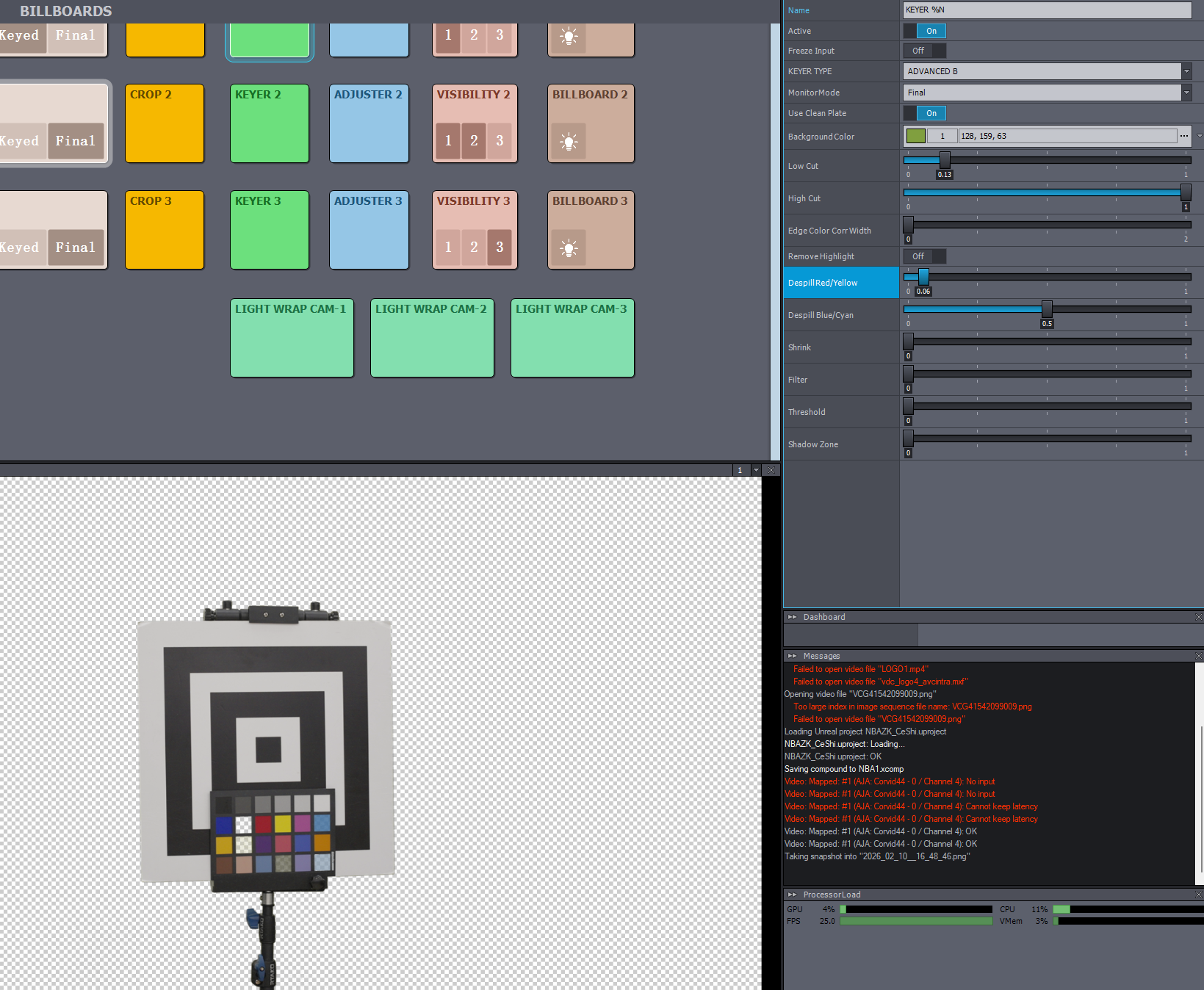
Yellow is saved,but green is also saved
Keyer question:Balancing Yellow Preservation and Red Over-compensation in Small Green Screen Volumes

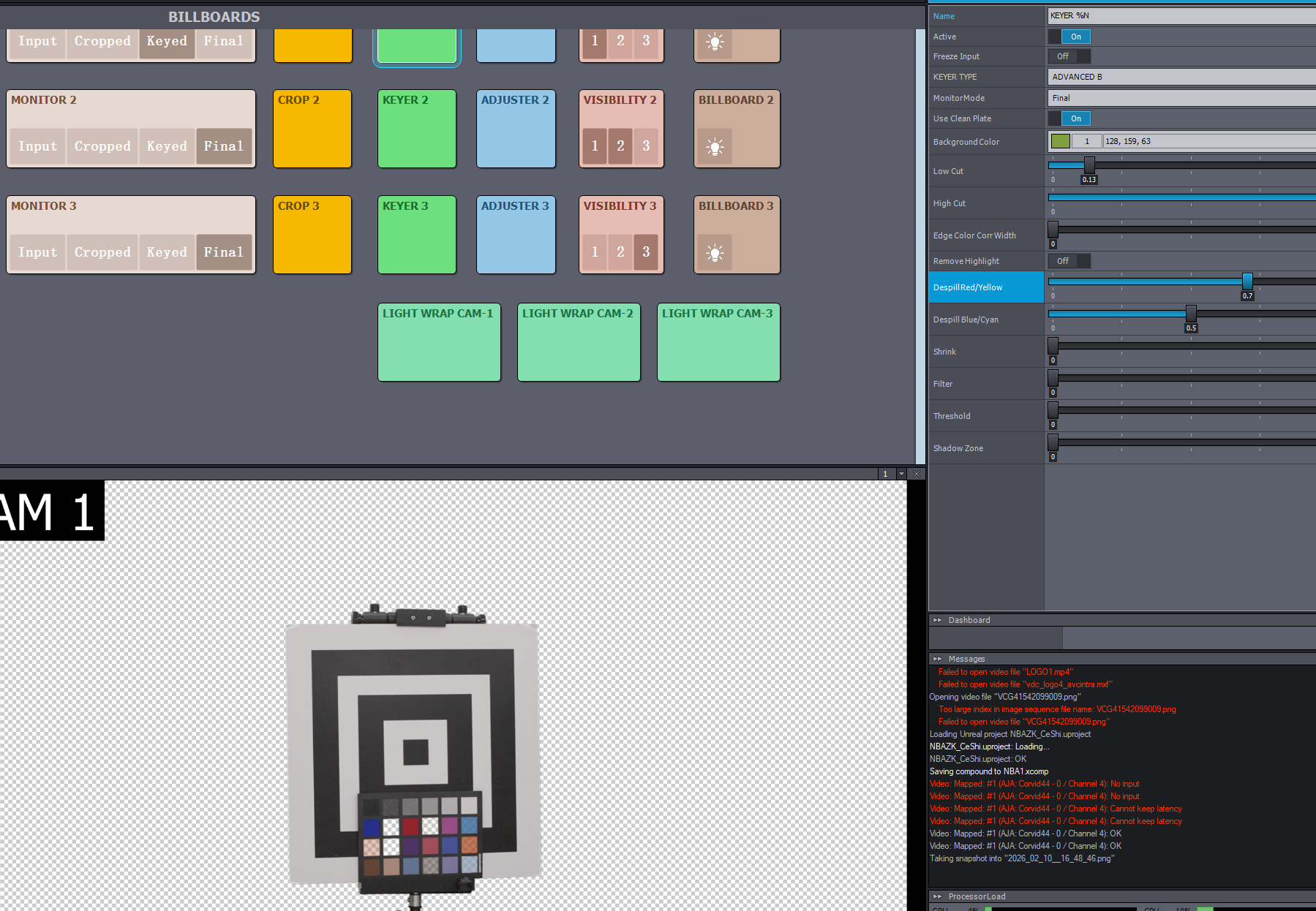
yellow is loss, and the talent became reddish
   CUC_STU

Comments

Eifert@Aximmetry
  -  

Hi,

If your talent appears reddish, it likely means you have increased the Despill Red/Yellow parameter too much. The effect is not linear, and usually, the optimal range is between 0.4 and 0.6. A value of 0.8 is quite high.

If your issue is that a yellow prop is being keyed out due to a high Despill Red/Yellow value, you can try to prevent this by adjusting other settings in the keyer. For a detailed explanation of the different parameters, please refer to our documentation:
 https://aximmetry.com/learn/virtual-production-workflow/green-screen-production/keying/keying  

Additionally, you can use the ADJUSTER panel, located next to the KEYER panel, to perform further color correction on the input.

Ensure that your camera image is not overexposed (for example, use the Zebra setting on your camera), as overexposure can lead to issues similar to what you described.

An additional screenshot showing the green background and the yellow prop would be helpful for further troubleshooting.

Warmest regards,

CUC_STU
  -  

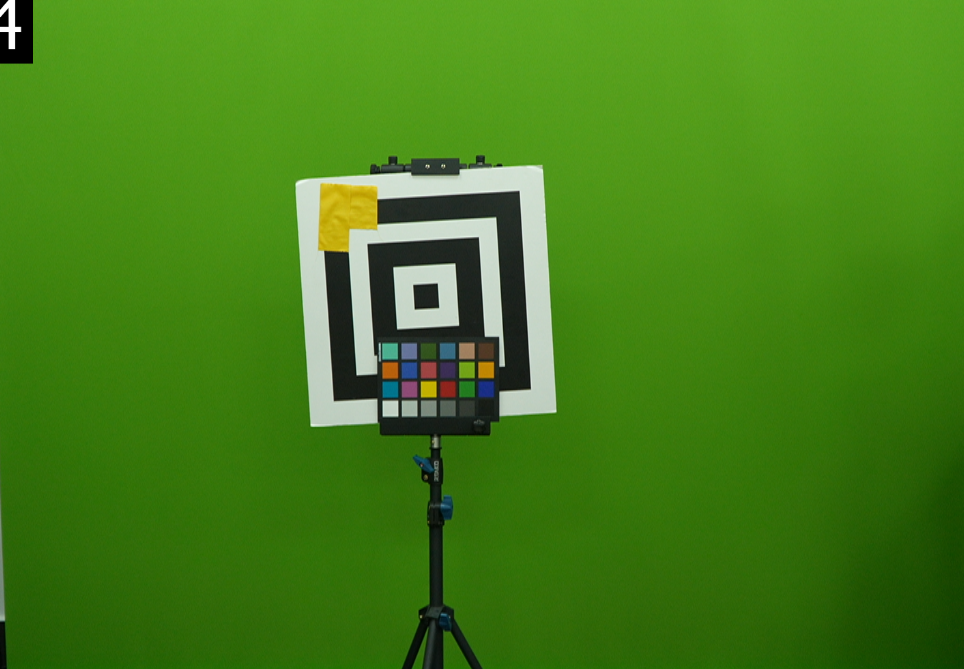
Hi, there are more camerashot for troubleshooting,Zebra  is checked.Keyer question:Balancing Yellow Preservation and Red Over-compensation in Small Green Screen VolumesKeyer question:Balancing Yellow Preservation and Red Over-compensation in Small Green Screen VolumesKeyer question:Balancing Yellow Preservation and Red Over-compensation in Small Green Screen Volumes


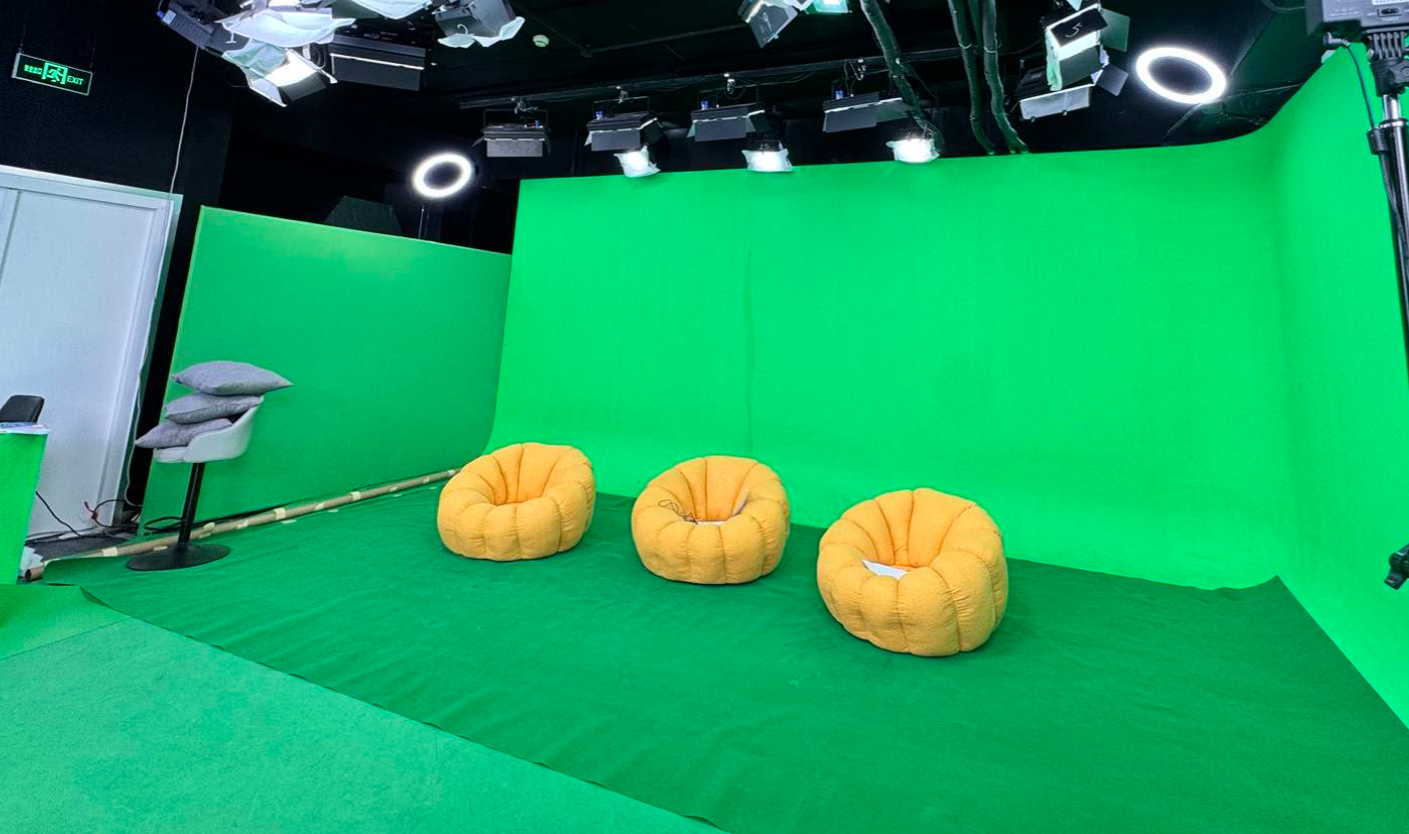
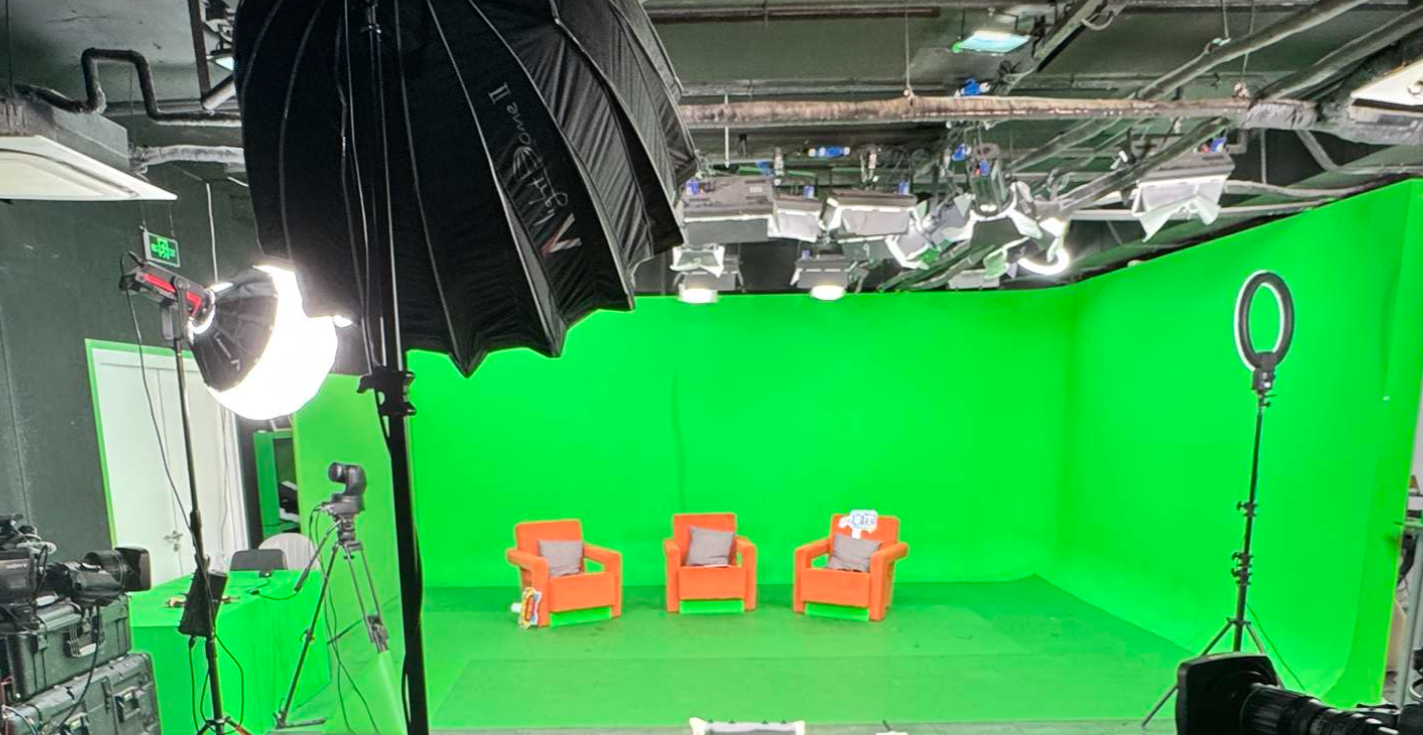
When despill red comes to 0.6, the yellow tape disappears completely.  The color spill in the current environment is not obvious because this is just a green display board. However, in the actual green screen of the virtual studio, with the lighting environment as shown in the picture, the green color spill on the characters is quite obvious. If i increase the despill red/yellow to remove it, the orange chair has a significant color cast, and the yellow props will be keyed out, Sometimes i even have to reduce the despill red/yellow to keep the yellow and orange.
I used a clean plate to minimize the keying parameters, which provided some relief.  
Anyway, I just want to know if there are better software solutions besides using a ultimatte-12 color keyer. 

Keyer question:Balancing Yellow Preservation and Red Over-compensation in Small Green Screen VolumesKeyer question:Balancing Yellow Preservation and Red Over-compensation in Small Green Screen Volumes

Thanks


Eifert@Aximmetry
  -  

Hi CUC_STU,

Thanks for the extra shots and details.

Based on your screenshot, with Despill Red/Yellow set to 0.4, that yellow sticker will be affected no matter what. You might get acceptable results at 0.3, but it will be borderline.

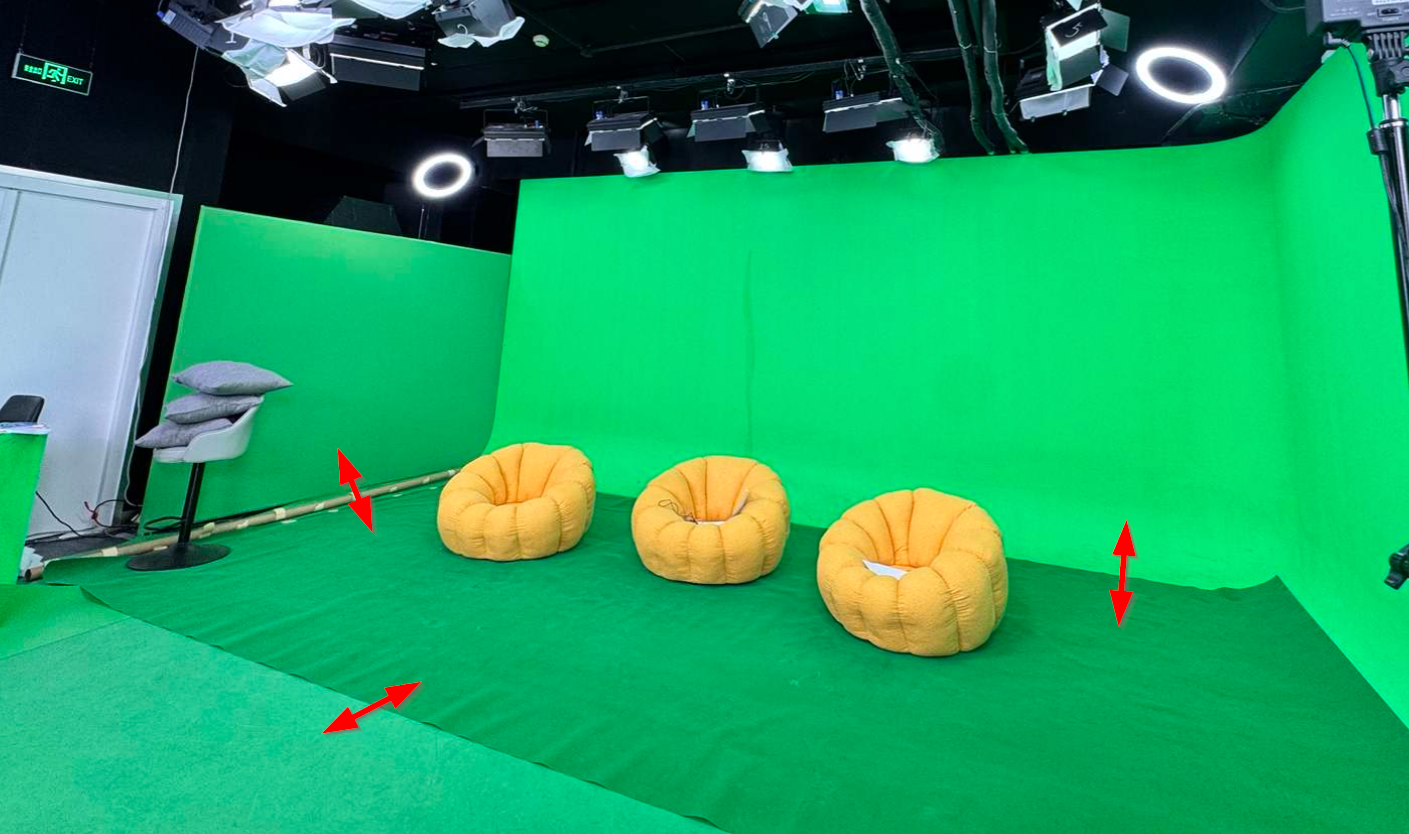
Because this looks like spill/contamination (small studio volume + short subject-to-screen distance = lots of green bounce), the most effective fix could be physical. Increase the distance between the subject/props and the green screen as much as possible. In your setup, the seats appear very close to the back wall. Moving them farther from the rear green screen should reduce contamination.

Regarding the yellow floor poufs, they are “high risk” for spills. They will pick up a lot of contamination where they touch the green floor, and they’re also quite yellow. So they’ll be hit by despill and/or keying adjustments more easily. If the poufs won’t move during the shoot (and you have reliable tracking), you can try a Holdout Mask on them. If you’re worried about other yellow props that are even more clearly defined, a Holdout Mask may work even better for those. Documentation here: https://aximmetry.com/learn/virtual-production-workflow/green-screen-production/tracked-camera-workflow/studio-control-panel/#holdout-mask 
(I should have mentioned this earlier; we even use a yellow sticker as an example in the documentation.)

Also, your example image inside Aximmetry shows a very unevenly lit green screen. However, in your other screenshots (where the full studio is visible), the lighting looks much more even and generally well controlled.

One more concern: having multiple green screen shades in the same studio is not ideal. A 3D Clean Plate can help compensate, but the best solution is still to use greens of the same shade throughout.

If you truly need different keying behavior and want to go deeper, you can modify the keyer compound, but in most cases, it won’t produce a dramatic improvement. Another  workaround is:

Run two keyers with different settings (e.g., one optimized for skin/despill and one optimized to preserve yellow/orange),
Then blend them using a mask (for example, Mask Mixer) around the prop region.

We discuss a similar approach here: https://my.aximmetry.com/post/3738-3d-cleanplate-scanning-for-simple-set-pr   
(Note: it may be outdated depending on your Aximmetry version)

Finally, if you decide to use an external keyer (Ultimatte, etc.), Aximmetry can integrate it via Fill + Matte (External Keyer workflow): https://aximmetry.com/learn/virtual-production-workflow/green-screen-production/keying/using-aximmetry-with-an-external-keyer/ 

Warmest regards,

CUC_STU
  -  

Hi,

Thank you very much for your detailed and helpful reply.

I would like to add some clarification:The test screenshot inside Aximmetry was taken in my office with only regular office lighting, just for temporary testing. The actual studio photos show a fully functional virtual studio with even, professional lighting.

Regarding the current issues on site:

  1. The talent is standing too close to the green box, causing strong green spill. I have suggested increasing the distance, but for now they can only rely on keying to compensate.
  2. The yellow floor poufs and yellow props are highly affected by green spill. Setting despill to 0.3 or lower does restore the yellow, but the overall image becomes greener.
  3. I don’t fully understand what you mean by “multiple green screen shades in the same studio”. Does it refer to uneven brightness or different color tones on different panels? I am not in charge of lighting on site, but I guess extra lights were added later to fix face lighting or keying issues, so it may no longer be the original uniform lighting setup.

I really appreciate your valuable suggestions:

  1. I will test the Holdout Mask for the yellow props.
  2. I am currently using Clean Plate in the Virtual Camera. I will test 3D Clean Plate again once the studio setup is finalized. I suggest it could be a built-in feature in Aximmetry in the future: since the real green box is made of several physical panels, 3D Clean Plate could be generated simply by inputting position and size, just like creating a virtual mask.
  3. I have opened the keyer compound before, but it has a high learning curve for me. I will study it and try your suggestion of running two keyers with different settings and blending them with a mask.
  4. I have already tried an external hardware keyer. It does improve the keying quality. The only downsides are that it uses an extra I/O interface, and there can be slight sync issues between the matte and the talent during fast movement, which can be fixed with tuning. It adds system complexity but is a valid solution.

I also have one issue with 3D Clean Plate:Whenever lighting or aperture changes, I have to re-capture the 3D Clean Plate, which is difficult during live broadcast situations. In a professional studio team, lighting and operation are different roles, so it’s hard to standardize their behavior during live shows. Also, the 3D Clean Plate capture process is relatively complex and not easy to complete in a busy live environment.

Thank you again for your support.Best regards,


Eifert@Aximmetry
  -  

Hi,

"Setting despill to 0.3 or lower does restore the yellow, but the overall image becomes greener."

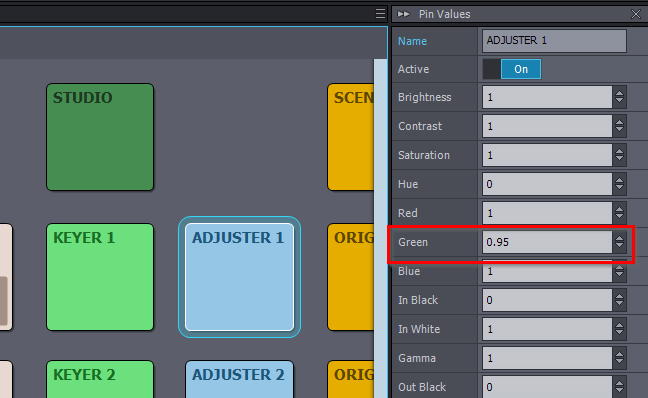
You could compensate for that a little by slightly decreasing Green in the ADJUSTER panel:
Keyer question:Balancing Yellow Preservation and Red Over-compensation in Small Green Screen Volumes


"I don’t fully understand what you mean by “multiple green screen shades in the same studio”."

What I mean is that the green is not identical everywhere. For instance, the floor’s green carpet is a different fabric/shade than the back wall’s green fabric. It is quite noticeable in this image:


" I will test 3D Clean Plate again once the studio setup is finalized. I suggest it could be a built-in feature in Aximmetry in the future: since the real green box is made of several physical panels, 3D Clean Plate could be generated simply by inputting position and size, just like creating a virtual mask."

This feature was added in 2025.3.0 via Curved Green Area Mode in the STUDIO panel. That means if you define your studio using Curved (rather than Cube), it will also support 3D Clean Plate, and you won’t need a custom studio model. Details: https://aximmetry.com/learn/virtual-production-workflow/green-screen-production/tracked-camera-workflow/studio-control-panel/#green-area-modes 


"I also have one issue with 3D Clean Plate:Whenever lighting or aperture changes, I have to re-capture the 3D Clean Plate, which is difficult during live broadcast situations. In a professional studio team, lighting and operation are different roles, so it’s hard to standardize their behavior during live shows."

When this happens, is the entire studio image getting brighter/darker, or is it more localized (e.g., one section of the green screen changes brightness relative to the others)?

Warmest regards,


CUC_STU
  -  

Thanks for your reply
What I mean is, once the live broadcast starts, if the camera operator adjusts the aperture up or down because of the host’s clothing(white clothing or others), the picture form that camera will get brighter or darker. This changes the brightness and texture information of the pre‑captured green screen, so I can no longer use the 3D Clean Plate.

Eifert@Aximmetry
  -  

Hi,

The 3D Cleanplate is intended to be created under lighting conditions that match the shoot, including the camera aperture. As a workaround, you could create multiple 3D Cleanplates for different apertures and switch between them during the shoot by changing the Texture From File parameter.

Still, I understand how inconvenient this can be, so we’ve added a request to our internal list to provide a dynamic or manual control to adjust the 3D Cleanplate’s overall brightness/levels.

Warmest regards,