How do I create a green mask for a realistic studio setting, like the one in the uploaded image?
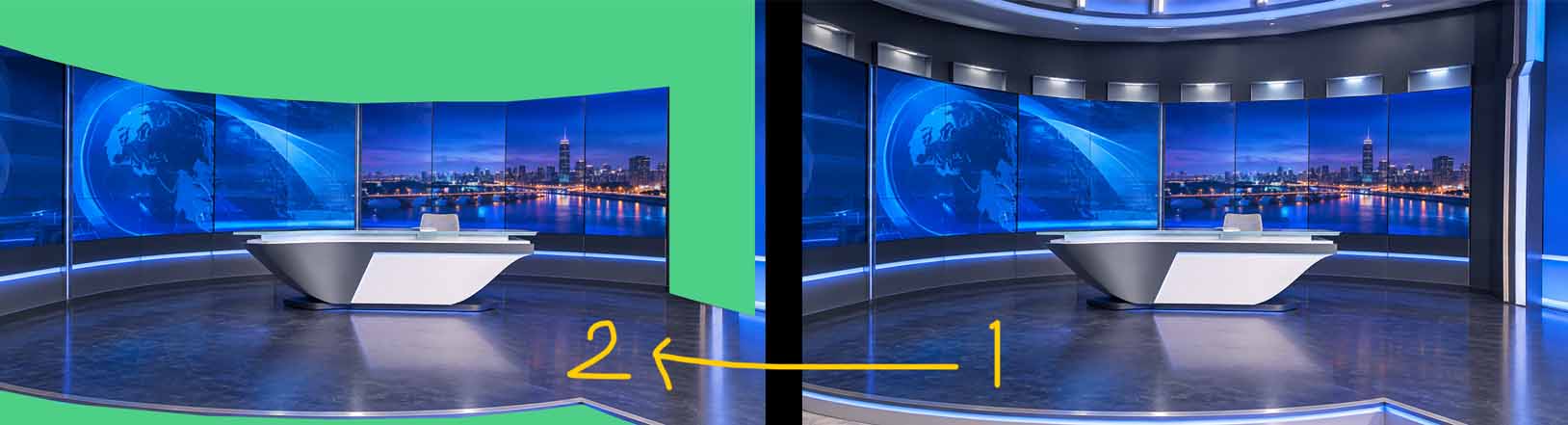
Adam@Aximmetry Thank you for the reply.
What I mean is cutting out a section of the real studio, using it as a mask, and creating a virtual studio background for it.

Hi vrards_12,
Thank you for the clarification. To put this together, you have to do the following:
If you use a tracked camera, the setup is straightforward.
Since you don’t have a physical green screen that needs to be keyed out,
disable the keyer. To do this, go to the INPUTS Control Board of the
TrackedCam compound and, on the KEYER # Control Panel of the active INPUT
#, turn the Active switch Off:

Then you need to define the area that will be kept in your
scene.
Go to STUDIO Control Panel > Green Area Mode and choose Custom
Model:

Next, go to the Flow Editor and connect your custom mask
model to the camera compound’s Green Model pin, like so:

NOTE: (you an create the model in any 3d software)
You can define the mask’s model by connecting Scene Node and
Mesh modules, as described in the document below:
https://aximmetry.com/learn/virtual-production-workflow/obtaining-graphics-and-virtual-assets/creating-content-in-native-engine/importing-a-3d-model/#importing
By switching the MONITOR # Control Panel to Studio Monitor mode, you can accurately define the mask with the help of the overlay, so that it fits the area you want to keep in the scene.
When you switch Monitor Mode to Final, the area outside the mask will be replaced by your background scene, which you connect to the Rendered and Rendered Mask pins of the TrackedCam compound.
If you want to use a stationary camera, you can still use the method above, just without defining a tracking system. This is the easier option, because the TrackedCam compound has exposed mask pins for such masks, unlike the VirtualCam compound.
Warmest regards,
Adam
Hi vrards_12
Could you please clarify what you mean by a green screen mask?
Is your setup a physical studio with the desk, screens and floor in place and a green screen behind them, where the rest of the studio should be added virtually over the green areas?
If so, you can do this with a tracked camera setup.
You can find instructions on how to put it together here:
https://aximmetry.com/learn/virtual-production-workflow/green-screen-production/tracked-camera-workflow/studio-control-panel/
Assuming I've understood your setup correctly, the part you'll need specifically, is Window Mask Mode. It keeps your real studio visible outside the green screen and fills only the green area with the virtual environment. You can find it here:
Warmest regards,https://aximmetry.com/learn/virtual-production-workflow/green-screen-production/tracked-camera-workflow/studio-control-panel/#mask-modes
Adam