Na atualização da versão 2025.03 para a versão 2026 esta aumentando o uso de GPU em 20%. Como posso fazer para reduzir esse aumento considerável?
Baessa
Comments
Patrik@Aximmetry
-
Hello Baessa,
Here are a few things you can check: - Check if you are running the scene in the same mode as before (cooked / editor data / live sync) - Check if lighting rebuild is prompted by UE; it's easy to miss, and usually unbuilt lighting leads to an increase in performance usage. - Check if UE is running in the background - For optimization checking the Post Process settings is a good start: https://dev.epicgames.com/documentation/unreal-engine/lumen-global-illumination-and-reflections-in-unreal-engine#post-process-settings Generally speaking optimization should be the same as with any other UE project, in this matter Aximmetry does not interfere.
An error occurred while uploading, please try again.
Cookie consent
Our website uses cookies to give you the best online experience, also we use other technologies to improve
and analyze our website traffic, and to understand where our visitors are coming from.
Hello Baessa,
Here are a few things you can check:
- Check if you are running the scene in the same mode as before (cooked / editor data / live sync)
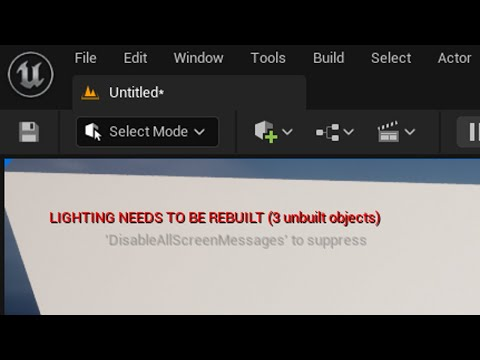
- Check if lighting rebuild is prompted by UE; it's easy to miss, and usually unbuilt lighting leads to an increase in performance usage.
- Check if UE is running in the background
- For optimization checking the Post Process settings is a good start: https://dev.epicgames.com/documentation/unreal-engine/lumen-global-illumination-and-reflections-in-unreal-engine#post-process-settings
Generally speaking optimization should be the same as with any other UE project, in this matter Aximmetry does not interfere.
Best Regards,
Patrik