Dear Aximmetry Admins,
We have a single Workstation setup with a AMD Ryzen 9 3950X 16-Core Processor, GIGABYTE X570 AORUS XTREME Motherboard, MSI RTX 5090 graphics card, 64 GB Ram and one Decklink 8K Card running Windows 11 Pro 25H2 and Aximmetry 2026.2.0. with Volinga plugin 0.9.0 license.
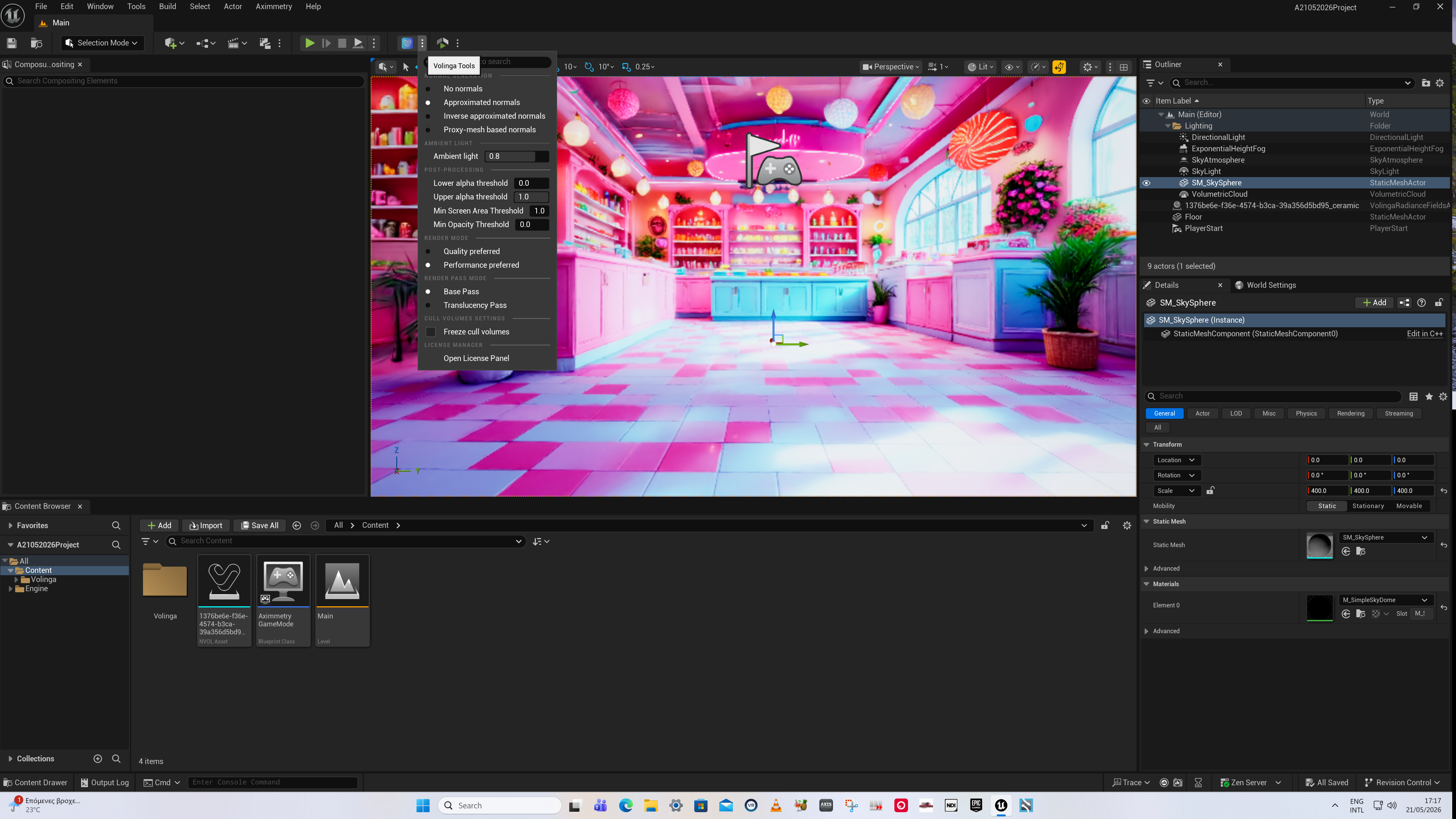
At AX_Scene_Editor_2026.2.0 we have successfully cooked the PLY background project.
Screenshot1
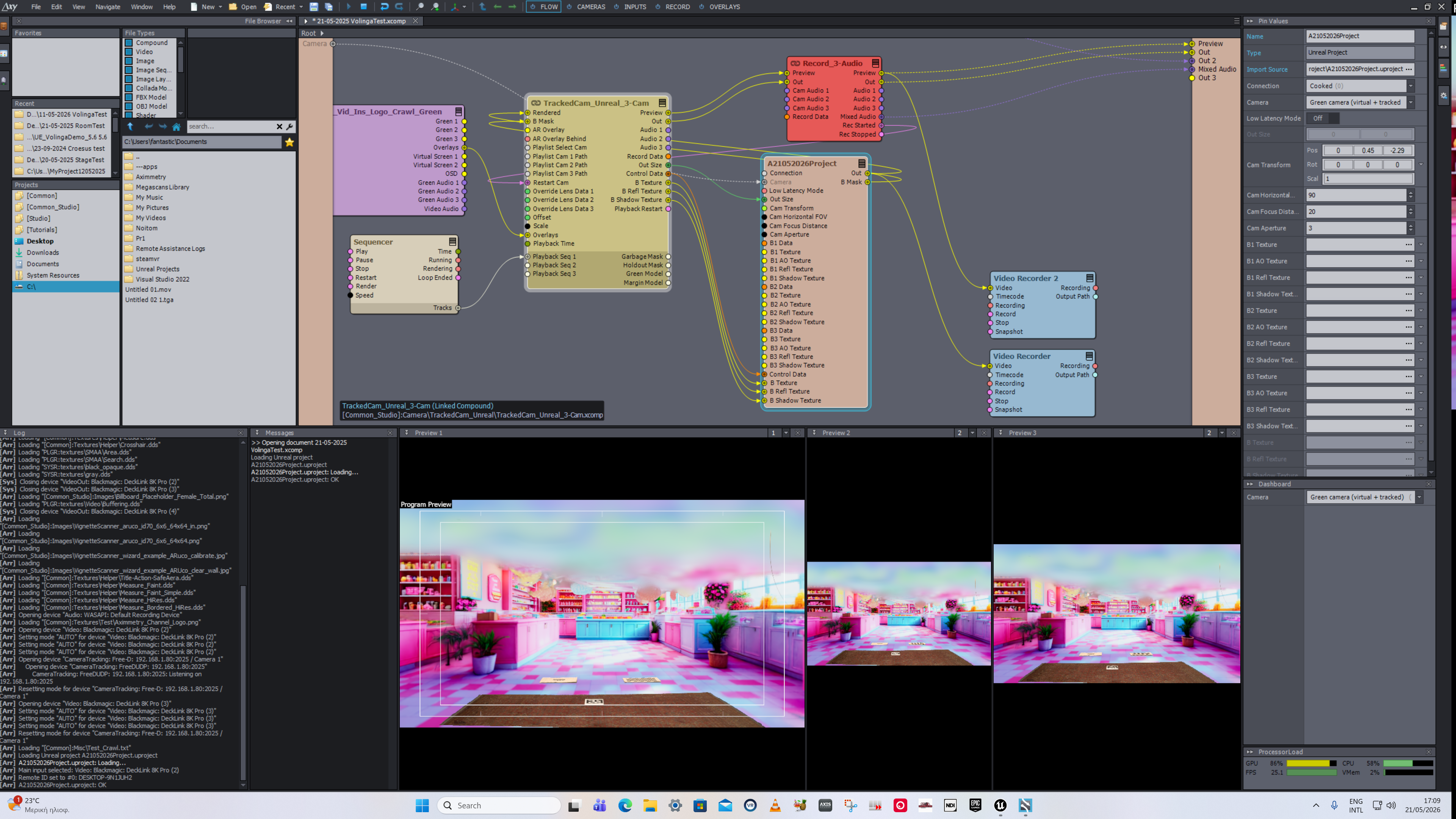
After importing the project in AXIMMETRY BROADCAST & FILM 2026.2.0 We can see in the upper third of the screen a blur that looks like a cloud, which we cannot remove in order to see our background clearly.
Screenshot2
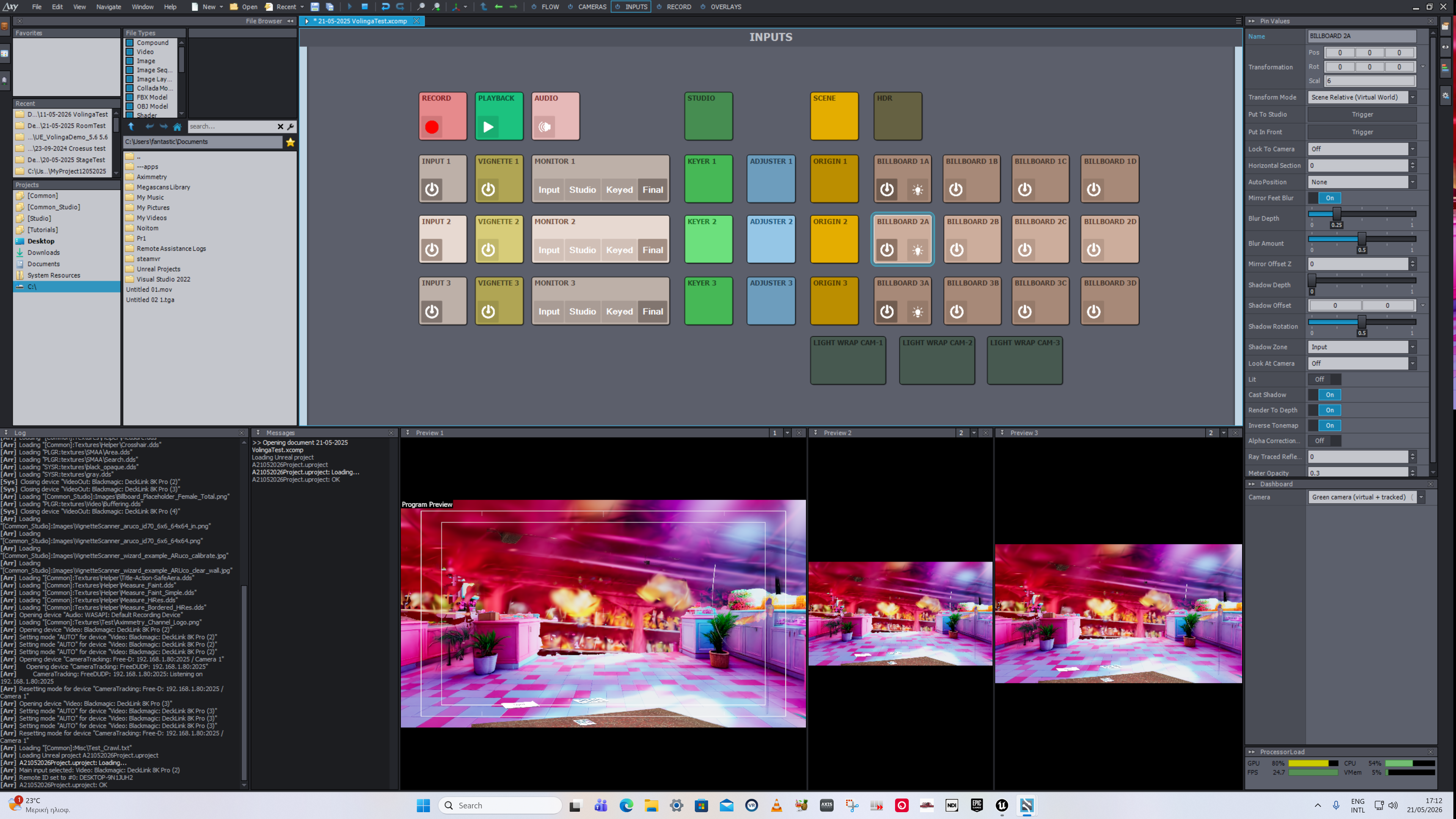
Also, this is the image (Screenshot3) from the preview of our second camera, which is positioned approximately 30 to 40 degrees to the left of our main camera.
Screenshot3
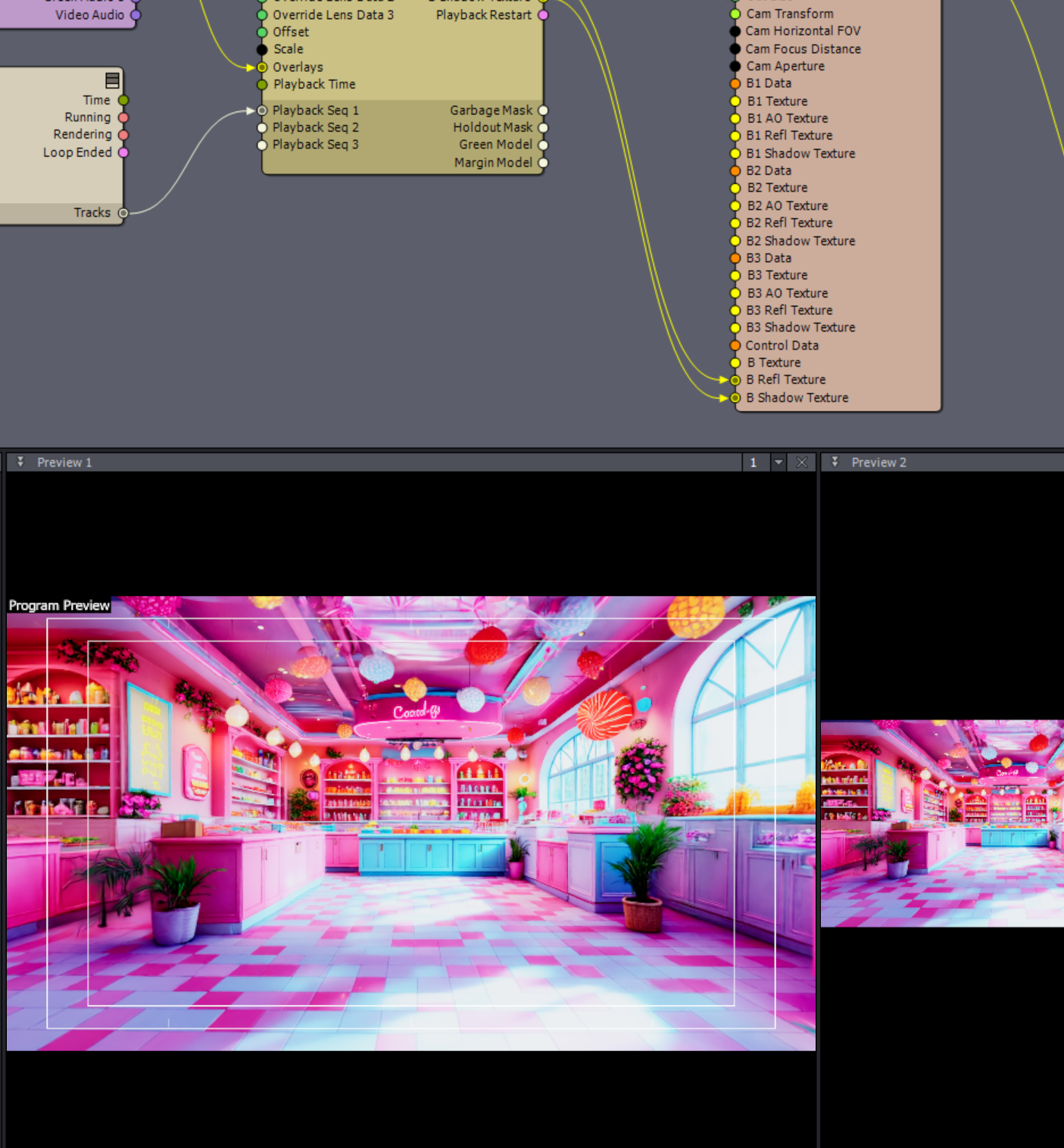
Also, if we disconnect the Control Data and B Texture pins in the Flow editor, we can see the background clearly, but without having our cameras keyed.
Screenshot4
And a second question: if we manage to fix this issue and view it properly, the PLY background will it be able to move correctly in relation to the movements of our three cameras?
Thank you for your attention.
The blur you’re seeing is from the Gaussian splat itself. Your camera is placed outside of the intended camera placement coverage in the scene or placed behind an object in the scene. This is a natural side effect of Gaussian splats. Just move the scene offset in Aximmetry so that the camera is placed fully inside the actual scene. What camera tracking system are you using? Does it have absolute world positioning and how do you set your “world zero”? If you’re camera tracking system is properly set up and if the scene is done at accurate real world scale, if course you will be able to move it in relation to the camera.