I am reaching out regarding a synchronization issue involving a Canon C400 and its IP-based zoom encoder data.
The Setup:
• Camera: Canon C400, video input via AJA Corvid44-8K (4K)
• Network: Two dedicated NICs Intel I226-V (subnet 10.20.20.x) for TrackMen tracking and Canon lens metadata; Marvell AQtion (10Gbit subnet 10.20.30.x) for NDI output and live streaming
• Outputs: 3x 4K real-time (2x AJA SDI + 1x NDI)
• GPU: RTX 5090, performance at 70–80%
The Problem:
The output logs shows that the system cannot maintain latency with the zoom encoder and a continuous increase in the frame counter, leading to a progressive drift that cause a total loss of the camera feed ("NO INPUT" / pink-red screen).
Key Observations:
1. The error specifically references the zoom encoder, not tracking.
2. Non-Recoverable: Disconnecting the zoom encoder in the I/O window does not reset the pipeline; only a full restart restores the feed.
3. The Canon lens data and NDI/streaming are already on separate NICs and subnets, yet the issue persists.
Questions:
1. Could the added system load from streaming destabilize the zoom encoder timing, even though it runs on a separate NIC?
2. Is there a way to flush/reset the pipeline once the latency starts building, without a full restart?
3. Are there recommended buffer or timeout settings for the Canon IP lens protocol that could improve stability?
Looking forward to hear from you
Best regards,
Inverve Studio
Hi,
The "Cannot keep latency" error can usually be fixed by increasing the In-to-Out Latency. In practice, this is the buffer time you are looking for. More information is available here: https://aximmetry.com/learn/virtual-production-workflow/inner-workings-of-aximmetry/in-to-out-latency/#in-to-out-latency-1
The Zoom encoder could cause this if it requires a very large delay or a negative delay. If the delay is negative, you will need to adjust the Input Extra Delay setting accordingly.
The simplest way to stop and restart the input is to turn off the INPUT:
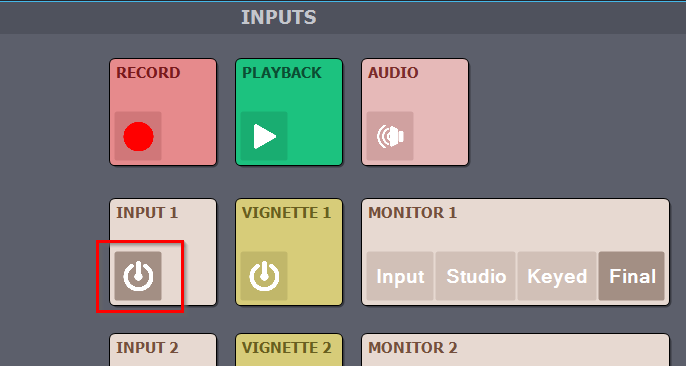
You could also stop and restart the compound. However, without identifying the exact cause of the issue, these should only be considered temporary workarounds, if they help at all.
Warmest regards,