MOS ITEM EDITOR - AXIMMETRY COMPOSER ERROR

Guys, I need your help. 


I don't know if this is a behavior or really an error, but I can't have two stripe previews open at the same time, one knocks the other down. Are there any adjustments I can make? And the biggest problem is this annoying error on the screen that forces a refresh to clear.
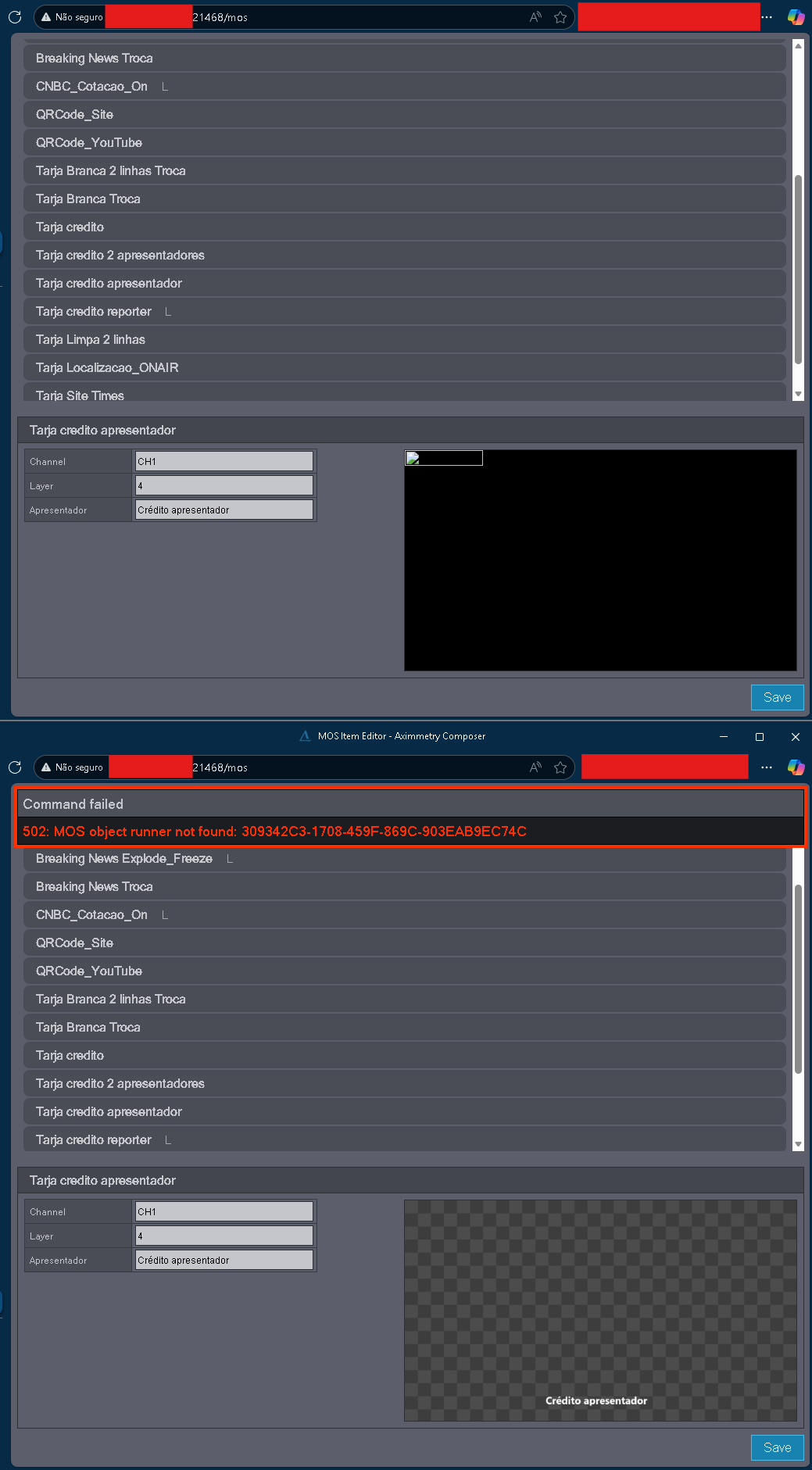

MOS ITEM EDITOR - AXIMMETRY COMPOSER ERROR

   I9Store

Comments

Eifert@Aximmetry
  -  

Hi,

Are you referring to having the same interface/address open in two instances at the same time (from the same IP-address/computer)? If that's the case, this behavior is likely intentional. In fact, it should not be possible to open the same interface/address twice with the same computer.

Warmest regards,

I9Store
  -  

Hello Eifert, thank you for your attention.


We use this embedded page in our newsroom system, where users can open the content creation area and preview the content before publishing.

Does this mean that it's not possible to have two or more distinct sessions previewing at the same time?

Do you know if it's at least possible to interrupt the preview without generating an apparent error? The biggest problem is that after the error message, it's not possible to save the content that has already been written.

Eifert@Aximmetry
  -  

Hi,

Currently, you can have only one session per IP address. The best workaround at the moment is to use more than one computer to open and use multiple sessions simultaneously. Note that many NRCS client applications have the same limitation.

In Aximmetry version 2026.2.0, this restriction (allowing only one session per computer) is likely to be removed.

Warmest regards,