Hello Aximmetry Support,
I am having an issue with Aximmetry Studio Limited 2026.3.1.
When I launch Aximmetry Composer, it fails during startup and shows the following error: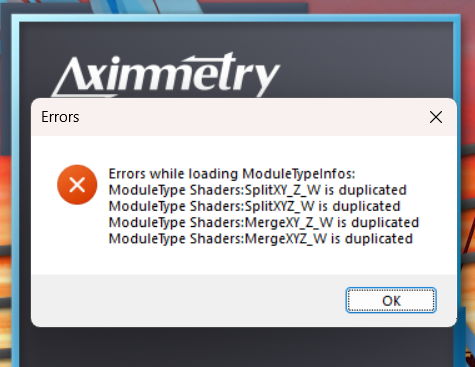 "Errors while loading ModuleTypeInfo:
ModuleType Shaders:SplitXYZ_W is duplicated
ModuleType Shaders:SplitXYZ_Z_W is duplicated
ModuleType Shaders:MergeXYZ_W is duplicated
ModuleType Shaders:MergeXYZ_W is duplicated"
Because of this error, I cannot open Aximmetry Composer and cannot continue working with the software.
I have already tried several troubleshooting steps, including:
- Uninstalling and reinstalling Aximmetry
- Repairing/reinstalling the installation
- Reinstalling multiple times
- Checking the system/software configuration
- Testing on another PC
The same error occurs on two different computers.
Computer 1:
- Windows 10 22H2
- Intel Core i5-13420H
- 16 GB RAM
- NVIDIA GeForce RTX 3050 6 GB Laptop GPU
- Intel UHD Graphics
Computer
2:
- Windows 10
- Intel Core i5 14th Gen
- 32 GB RAM
- NVIDIA GeForce RTX 5060 Ti 16 GB
Since the same error occurs on two different systems with different hardware, I suspect that this may be related to Aximmetry Studio Limited 2026.3.1 itself, its installed modules, or the ModuleType registration/library.
Could you please help me identify the cause of the duplicated ModuleTypes and advise me on how to fix it?
I can provide screenshots, logs, crash reports, or any other diagnostic files you need.
This software is currently required for an ongoing university/work project, so I would really appreciate your assistance.
Thank you.
Best regards,
Sorasak
Issue with Aximmetry Studio Limited 2026.3.1
コメント
Hello Aximmetry Support,
Thank you for your earlier suggestions. Unfortunately, the issue is still not resolved.
I followed Method 1 as you recommended, and then went further by manually deleting all Aximmetry-related files and folders on my machine, including:
- AppData (Roaming / Local)
- Program Files
- Any remaining Aximmetry folders/leftover files I could find
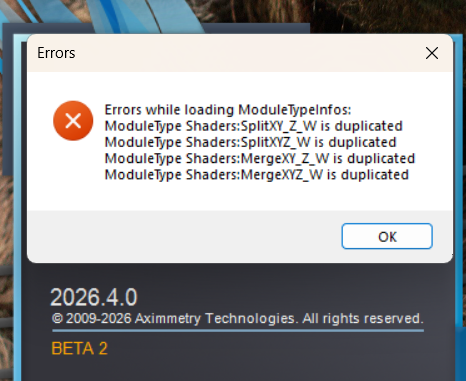
After that, I reinstalled, and I still get the exact same error at startup (screenshot attached):
Errors while loading ModuleTypeInfos:
ModuleType Shaders:SplitXY_Z_W is duplicated
ModuleType Shaders:SplitXYZ_W is duplicated
ModuleType Shaders:MergeXY_Z_W is duplicated
ModuleType Shaders:MergeXYZ_W is duplicated
Version: 2026.4.0 BETA 2
OS: Windows [version]
Since a clean removal did not help, I suspect the duplicates come from something outside the folders I deleted (e.g. another shader/module folder, a custom Modules path in settings, or the installer itself).
Could you please tell me:
1. Which file(s) or folder(s) define these Shaders modules, so I can check for duplicates?
2. Whether this is a known bug in 2026.4.0 BETA 2, and if there is a fix or a newer build?
3. Which log file I should send you for further diagnosis?
I'm happy to send logs or any other information you need.
Best regards,
Sorasak
Hi Sorasak,
Unfortunately this is not a known bug and the 2026.4.0 BETA 2 is the newest released version.
To help us investigate this issue, please zip the resources folder in your Aximmetry installation directory (...\2026.3.1_Studio_Limited\resources) and send the .zip file to us at sales@aximmetry.com.
Warmest regards,
Adam
Hi Sorasak,
We’ve identified the likely cause of the error message you received.
The module name check uses a culture-sensitive string comparison, and in some regions (Thai, for example) the default collation ignores punctuation. As a result, module names that differ only by underscores are treated as identical.
A fix will be included in the next release, 2027.1.0. In the meantime, you can work around the issue by changing your Windows region format:
Control Panel > Clock and Region > Region > Formats > Format > English (any region)
After this, both 2026.3.1 and 2026.4.0.BETA2 should launch without the error message or crashing.
Warmest regards,
Adam
Hi Sorasak,
This is a rare error, most likely caused by a file that was corrupted during installation.
Please try the following:
First, run a Clean Install: in the installer, select REPAIR for Aximmetry, then select the Clean Install, remove all previous settings for this version option:

If the Clean Install doesn't help, uninstall Aximmetry, selecting the Remove all settings as well option in the installer:

Once Aximmetry has been uninstalled, delete the installer file itself. Before reinstalling, make sure the old Aximmetry program folder is actually gone. If any files are left behind, delete the folder manually.
Then download the installer again from your my.aximmetry.com account and reinstall Aximmetry. A corrupted installer package is one of the few things that could produce the same error on two different PCs.
If the issue still persists after all this, please try installing the current BETA version from here:
https://my.aximmetry.com/User/MyDownloads
Let us know whether you get the same error with the BETA as well.
Warmest regards,
Adam