Tell me how to update the program? Do I have to delete and reinstall it every time?
Update
コメント
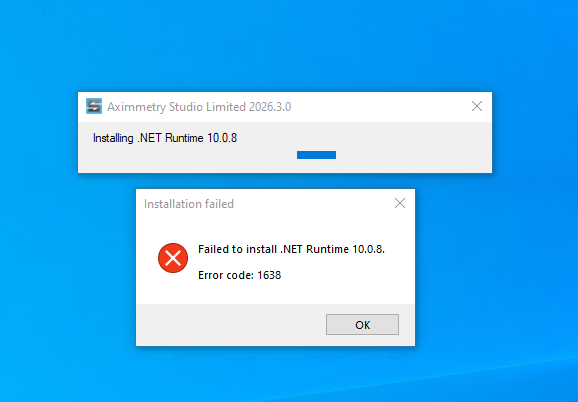 The installation does not work
Adam@Aximmetry
-
Hi anzaaximm,
This error occurs when a conflicting version of the Microsoft .NET Runtime is already installed on your computer. To fix it, go to Settings > Apps > Installed apps, find your installed Microsoft .NET Runtime instance, and uninstall it. Then run the Aximmetry installer again; the installation should complete without interruption.
This is a known issue in 2026.3.0 Aximmetry's installer and will be fixed in version 2026.3.1.
Warmest regards,
Adam
Hi anzaaximm,
To access the latest updates, you must have an active Maintenance+ subscription or make a new purchase.
You can check for available updates in Aximmetry by going to Help > Check for Updates…


The latest release can be downloaded and installed from our website using the link shown above. Aximmetry currently does not have a dedicated in-app update feature.
However, you do not necessarily need to uninstall your current version. Multiple versions can be installed on the same computer, but only one instance of Aximmetry can run at a time.
To learn more about the installation process, please refer to the following document:
https://aximmetry.com/learn/virtual-production-workflow/starting-with-aximmetry/how-to-install-aximmetry/
Warmest regards,
Adam