High Cpu usage 60% on start with a small project

Hello, 

We're experiencing high CPU usage in Aximmetry Composer ( 2025.3.0, 2025.2.0, 2026.1.0) on two identical pc station. It currently causes lags and fps drop in Aximmetry. We have 4 pc station in total only two experience this issue. 

Here are the specs : 

CPU : AMD Ryzen Threadripper PRO 7955WX (watercooled w/ AIO)

GPU : RTX 5090 FE

RAM : 32Go

BMD card : BMD QUAD 2

OS : W11 PRO

All pc stations were assembled and setup at the same day with the same hardware and parameters, they're not in multi machines environment. 

When tested on another hardware (on laptop) the same project is on idle CPU 20% in Aximmetry.  

We tried creating a local project on the machine but the same issue happened, when introduced into another setting the cpu usage was low. 

I've checked the nvidia panel, windows settings, hardware, temps all are perfectly fine even on full CPU/GPU benchmarks.
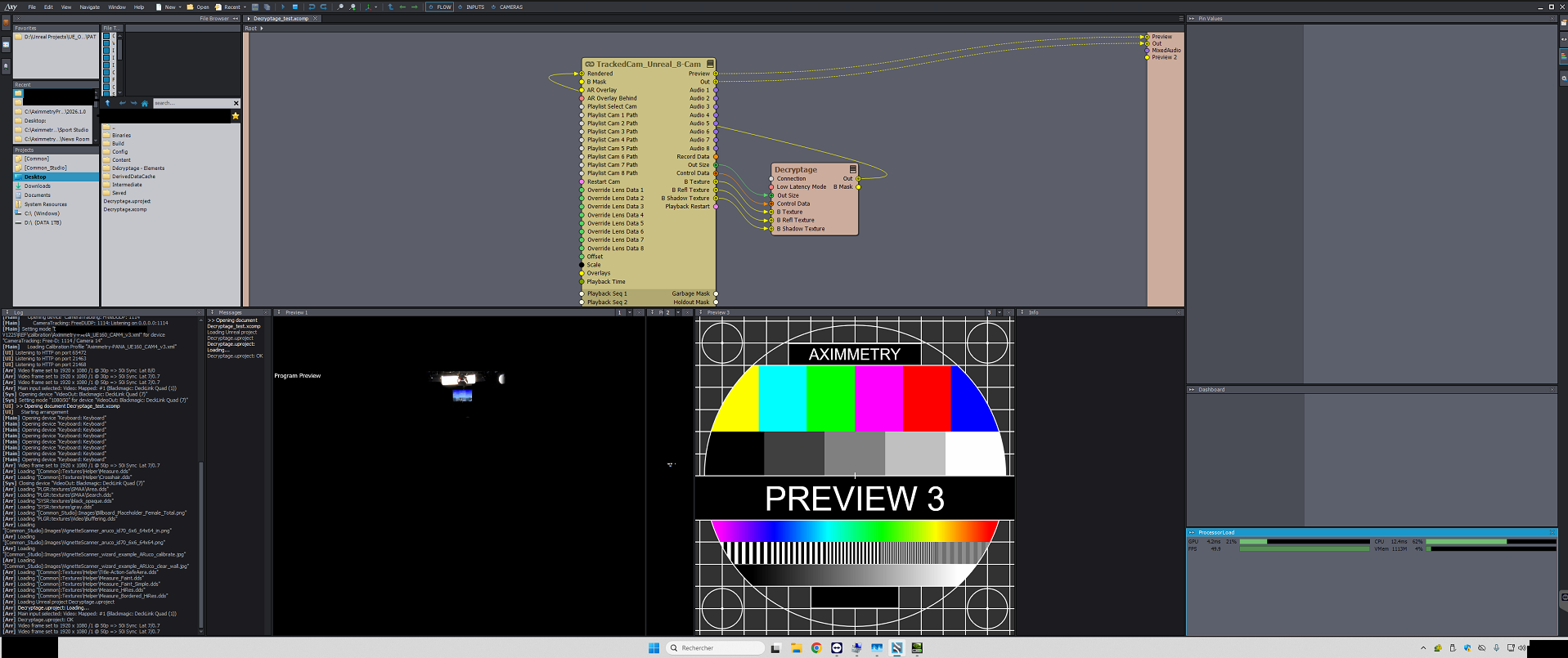
High Cpu usage 60% on start with a small project

Any parameters in Windows or Aximmetry that could cause the issue ? 

We're wondering if reinstalling Aximmetry from scratch would solve the issue ? 

Thank you for your help,


Best regards, 

AJK
   Aximmetry@MagicHour

コメント

Eifert@Aximmetry
  -  

Hi AJK,

This most likely means that the CPU is affected by energy-saving settings. You may experience a higher load than on another computer because, for example, the computer may be running cooler or has a slightly lighter load. As a result, the energy-saving settings (such as the Windows Power Plan) may decide to throttle the CPU to reduce power consumption. Such throttling means that the 100% on the CPU meter in Aximmetry actually represents much less performance than would otherwise be possible.
We recommend using Windows on the highest possible Power Plan setting.

Warmest regards,

Aximmetry@MagicHour
  -  

Hello Eifert, 

Thank you for your answer, I setup both PCs on the High-Performance Power Plan , but i will check if the CPU in the Driver or the AMD software has maybe a power efficiency plan. Also the thermals are on par and didn't show any signs of overheating in AIDA64. 
I doubt this might come from this since the benchmarks are close to what we had at startup. 

Can there be loops in setups or such in Aximmetry that would cause this kind of issues ?

If you need captions / screenshots of any kind feel free to ask. 

Thank you again for your help, 

Best regards, 

AK

Eifert@Aximmetry
  -  

Hi,

There’s nothing in Aximmetry that would cause this on its own.

However, I can’t say the same about Unreal. Your compound includes an Unreal module, and its processing is also reflected in Aximmetry’s Processor Load panel.

As a test, try running [Tutorials]\Instancing\Instancing - 03 - Script.xcomp, which contains no Unreal modules but can still put a significant load on the CPU. You will likely need to increase the number of instanced objects. You can do this by multiplying the Count pin value in each Random module by 5 (or another factor).

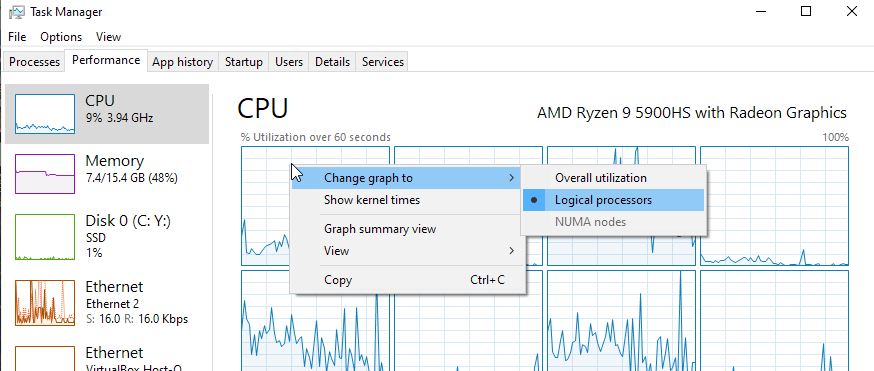
Also, you could check CPU usage in Windows Task Manager (Ctrl + Shift + Esc) on each computer and compare the results. Set the CPU graph view to Logical processors, which shows per-core usage:

Note: Aximmetry’s Processor Load panel uses a different calculation method than Windows Task Manager. As a result, it effectively reflects the utilization of the most heavily loaded CPU core / logical processor, rather than an overall average across all cores.

Warmest regards,