JP
EN - English
CN - 中文
JP - 日本語
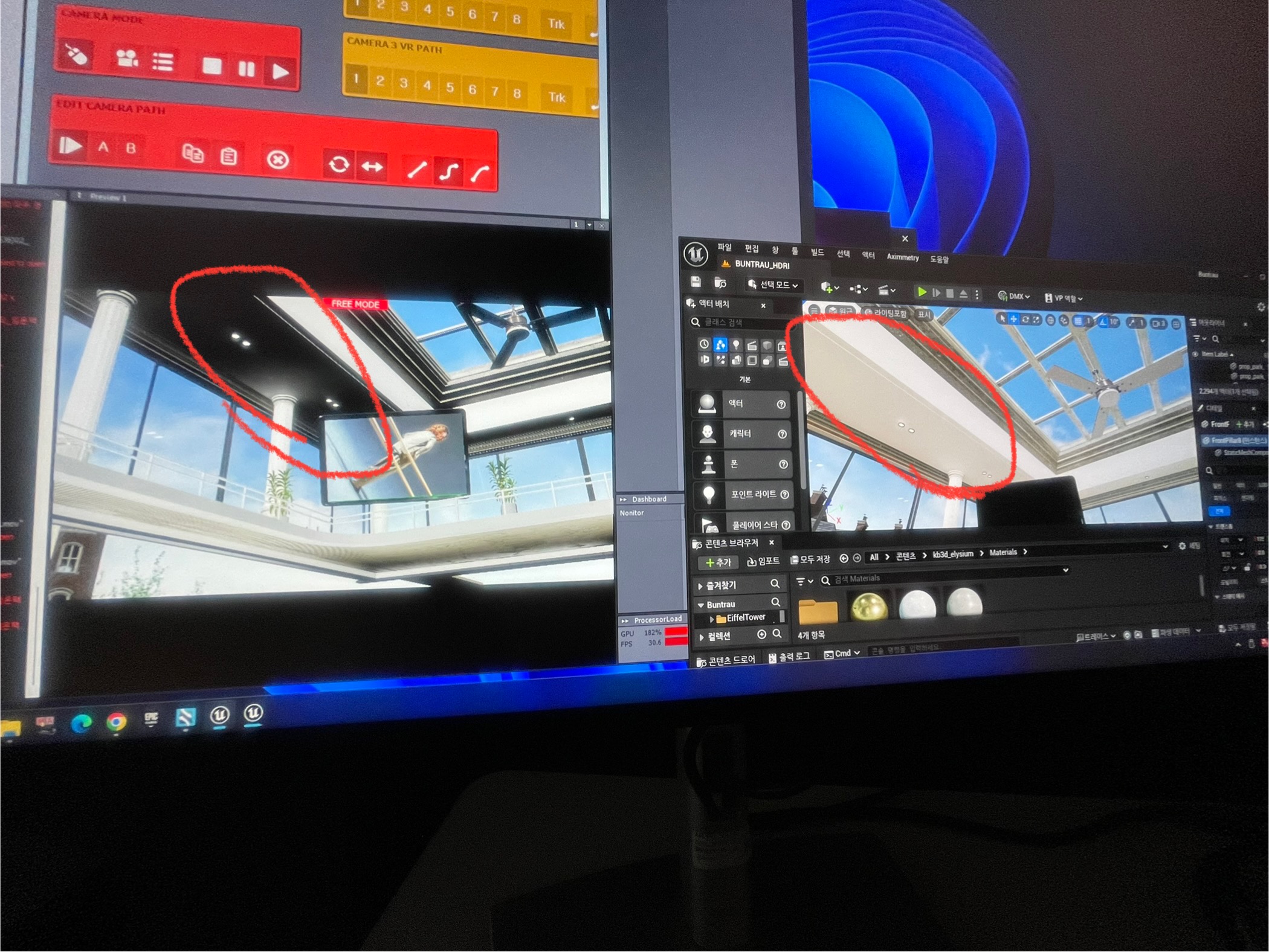
When I cook and look at the Aximmetry output, it looks dark. How do I solve this?
Hi,
When the project is not running in the Unreal Editor, the view you see comes from a dummy camera, not the actual cinematic Aximmetry Unreal camera. To see the real-time view from the Aximmetry Unreal camera, you should run the project, for example, using Live Sync: https://aximmetry.com/learn/virtual-production-workflow/obtaining-graphics-and-virtual-assets/creating-content-for-aximmetry-de/interactive-editing-with-live-sync/
If, when using Live Sync in the Unreal Editor, the colors appear the same as they do in Aximmetry, it is possible that the scene lighting has not been pre-calculated. To fix this, use the Build All Levels option under the Build menu:
If there are still differences in the image, it may be because the Aximmetry Unreal camera has virtual auto exposure and bloom turned off, as these settings can often cause unrealistic results in virtual production environments. For detailed information on Camera Post Process Volume settings, refer to our documentation here: https://aximmetry.com/learn/virtual-production-workflow/obtaining-graphics-and-virtual-assets/creating-content-for-aximmetry-de/preparing-the-unreal-project/#camera-post-process-volume
Warmest regards,
アップロード中にエラーが発生しました。再試行してください。
Hi,
When the project is not running in the Unreal Editor, the view you see comes from a dummy camera, not the actual cinematic Aximmetry Unreal camera. To see the real-time view from the Aximmetry Unreal camera, you should run the project, for example, using Live Sync: https://aximmetry.com/learn/virtual-production-workflow/obtaining-graphics-and-virtual-assets/creating-content-for-aximmetry-de/interactive-editing-with-live-sync/
If, when using Live Sync in the Unreal Editor, the colors appear the same as they do in Aximmetry, it is possible that the scene lighting has not been pre-calculated. To fix this, use the Build All Levels option under the Build menu:

If there are still differences in the image, it may be because the Aximmetry Unreal camera has virtual auto exposure and bloom turned off, as these settings can often cause unrealistic results in virtual production environments. For detailed information on Camera Post Process Volume settings, refer to our documentation here: https://aximmetry.com/learn/virtual-production-workflow/obtaining-graphics-and-virtual-assets/creating-content-for-aximmetry-de/preparing-the-unreal-project/#camera-post-process-volume
Warmest regards,