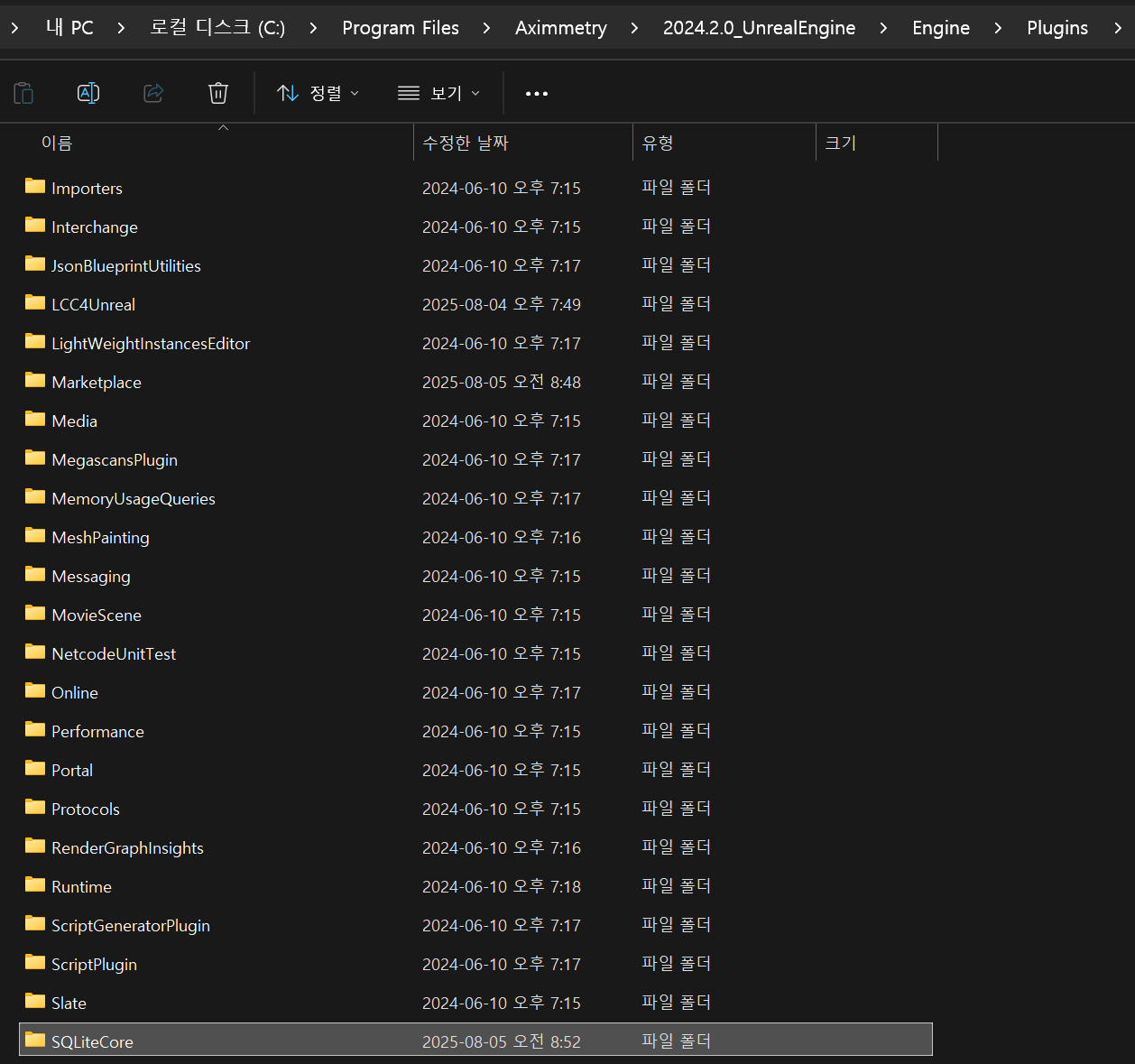
You should place the LCC plugin into the Unreal Engine directory for Aximmetry as well. Specifically, it should go into the Plugins\Marketplace folder, not directly into the Plugins folder. The correct path should look like this: _UnrealEngine\Engine\Plugins\Marketplace\LCC4Unreal
After copying the plugin to the correct location, enable the plugin in the Unreal Editor:
I briefly tested the plugin using the latest Aximmetry version (2025.2.0) with the LCC Unreal SDK UE 5.5 version 0.9.0, and I did not encounter any fatal errors.
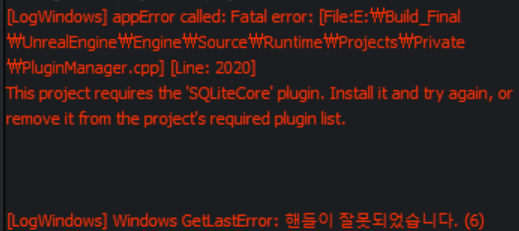


Hi,
You should place the LCC plugin into the Unreal Engine directory for Aximmetry as well. Specifically, it should go into the Plugins\Marketplace folder, not directly into the Plugins folder. The correct path should look like this: _UnrealEngine\Engine\Plugins\Marketplace\LCC4Unreal
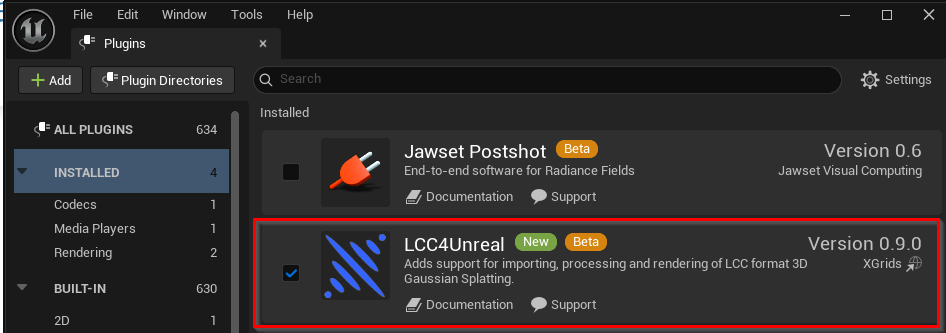
After copying the plugin to the correct location, enable the plugin in the Unreal Editor:
I briefly tested the plugin using the latest Aximmetry version (2025.2.0) with the LCC Unreal SDK UE 5.5 version 0.9.0, and I did not encounter any fatal errors.
Warmest regards,