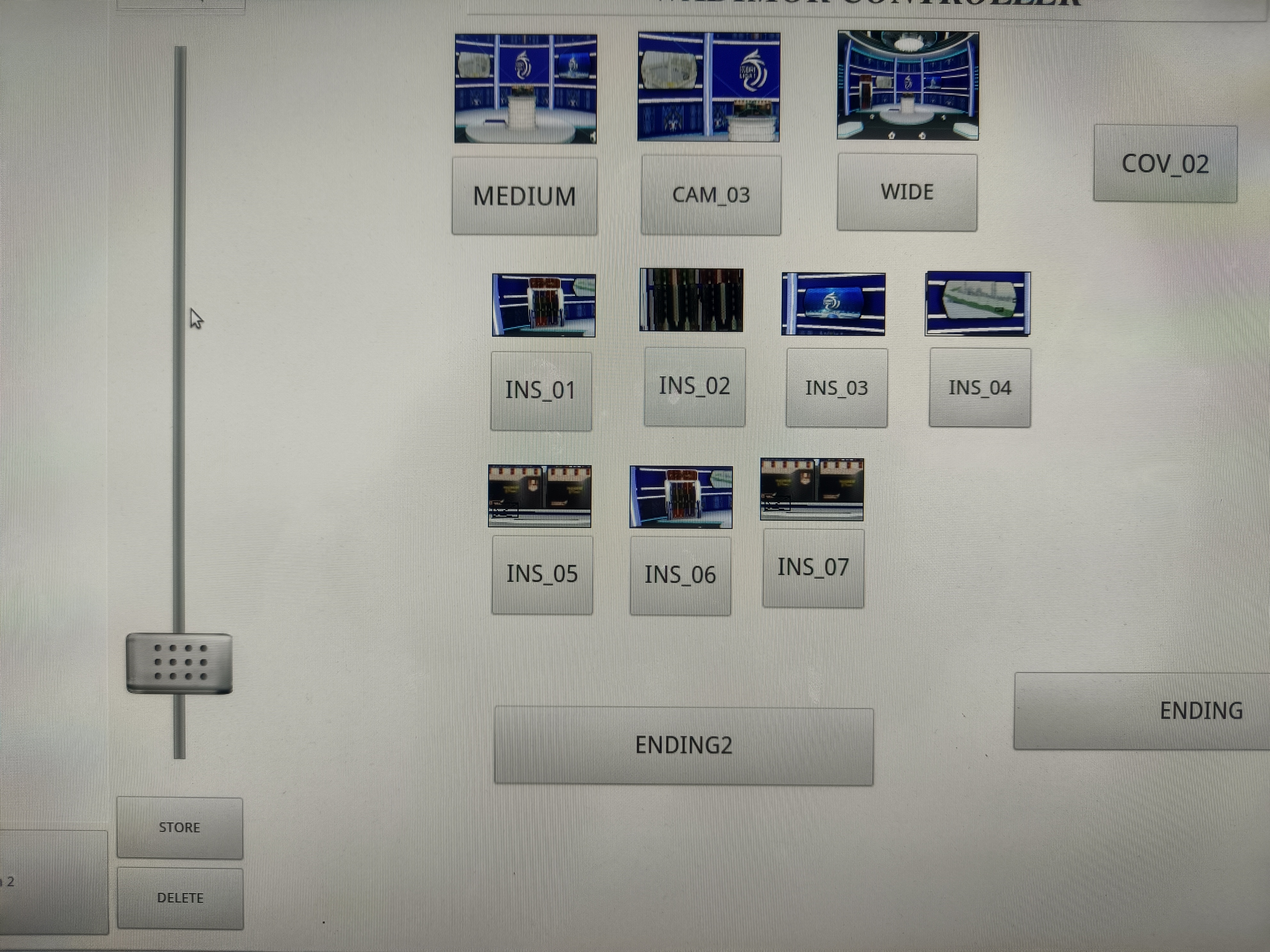
can I insert a picture of the aximmetry controller board like the example I sent? previously I used the "ozone controller" from the hybrid virtual machine. and can the button be enlarged in aximmetry?
how to ?
thanks before
Rajib31
コメント
Eifert@Aximmetry
-
Hi,
It depends on your intended use case. You can have custom icons for buttons, and you can find more information on this topic here: Add Icons for Buttons However, it seems you might be interested in Video Buttons. Please note that Video Buttons can also work with images, not just video content. Additionally, they do not have to be used solely as a drag-and-drop panel; they can also function as buttons. Unfortunately, you won't be able to enlarge them, other than zooming on them.
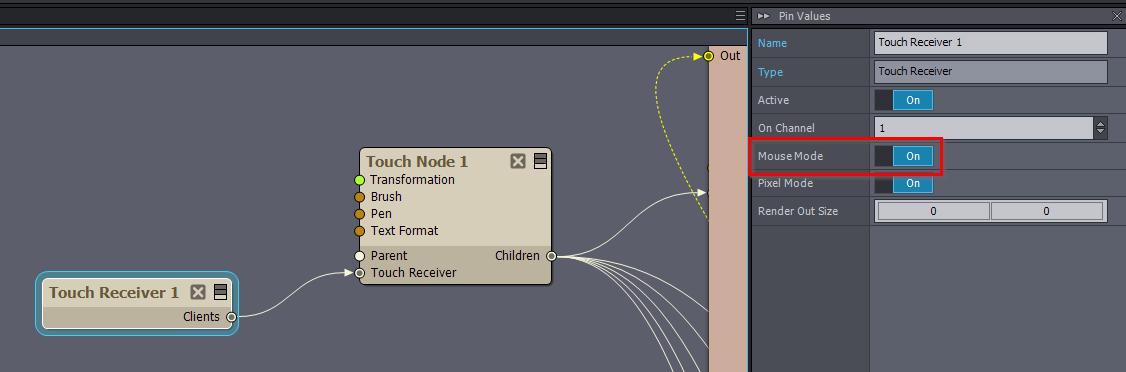
Are you certain that Control Boards are the best solution for your project? For instance, you might consider using previews as a User Interface, as there are modules designed to detect interactions with preview windows/panels. There is an example compound of this at: [Tutorials]:Paint And Touch\Touch_Controls.xcomp To use this compound with your mouse, you need to enable Mouse Mode in the Touch Reciever module:
 ?
?
Hi,
It depends on your intended use case.
You can have custom icons for buttons, and you can find more information on this topic here: Add Icons for Buttons
However, it seems you might be interested in Video Buttons. Please note that Video Buttons can also work with images, not just video content. Additionally, they do not have to be used solely as a drag-and-drop panel; they can also function as buttons.
Unfortunately, you won't be able to enlarge them, other than zooming on them.
Are you certain that Control Boards are the best solution for your project? For instance, you might consider using previews as a User Interface, as there are modules designed to detect interactions with preview windows/panels.
There is an example compound of this at: [Tutorials]:Paint And Touch\Touch_Controls.xcomp
To use this compound with your mouse, you need to enable Mouse Mode in the Touch Reciever module:
Warmest regards,