In addition, the position of the virtual camera cannot be moved in live sync mode
Lee555
コメント
Eifert@Aximmetry
-
Hi,
When you change resolution in Aximmetry, the change is applied to Unreal even in Live Sync mode. You can change the resolution in Edit->Preferences->Rendering:
This will probably fix the other issues you mentioned as long you don't change the resolution in the Unreal Editor.
If you want to be extra sure that Unreal renders in your desired resolution, then you can easily check the resolution of the Unreal render by moving your mouse over the output pin of Unreal and pressing the CTRL key:
Hi,
When you change resolution in Aximmetry, the change is applied to Unreal even in Live Sync mode.
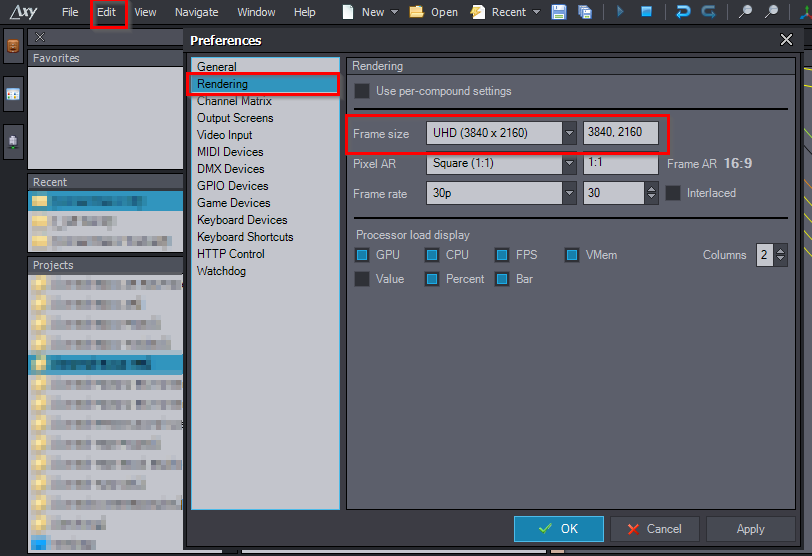
You can change the resolution in Edit->Preferences->Rendering:
This will probably fix the other issues you mentioned as long you don't change the resolution in the Unreal Editor.
If you want to be extra sure that Unreal renders in your desired resolution, then you can easily check the resolution of the Unreal render by moving your mouse over the output pin of Unreal and pressing the CTRL key:
Warmest regards,